QR-koder til eventfotos: Lad gæster uploade med det samme
Du afholder et event—bryllup, fødselsdag, firmaarrangement, familietræf. Alle tager hundredevis af billeder. Tre måneder senere har du måske indsamlet 10 %, fordi det er udmattende og ineffektivt at jagte folk via sms og e-mail. De øvrige 400+ fotos? Slettet fra telefoner for at frigøre plads – tabt for altid.
QR-kode-lagringssystemer løser dette fuldstændigt. Generer én kode, print den på skilte, gæster scanner og uploader fotos med det samme—ingen apps, ingen konti, ingen friktion. Der findes gratis muligheder til mindre events, og betalte planer skalerer til ubegrænset lagerplads til større sammenkomster. Din komplette fotosamling organiseres automatisk i stedet for at være spredt over 50 telefoner.
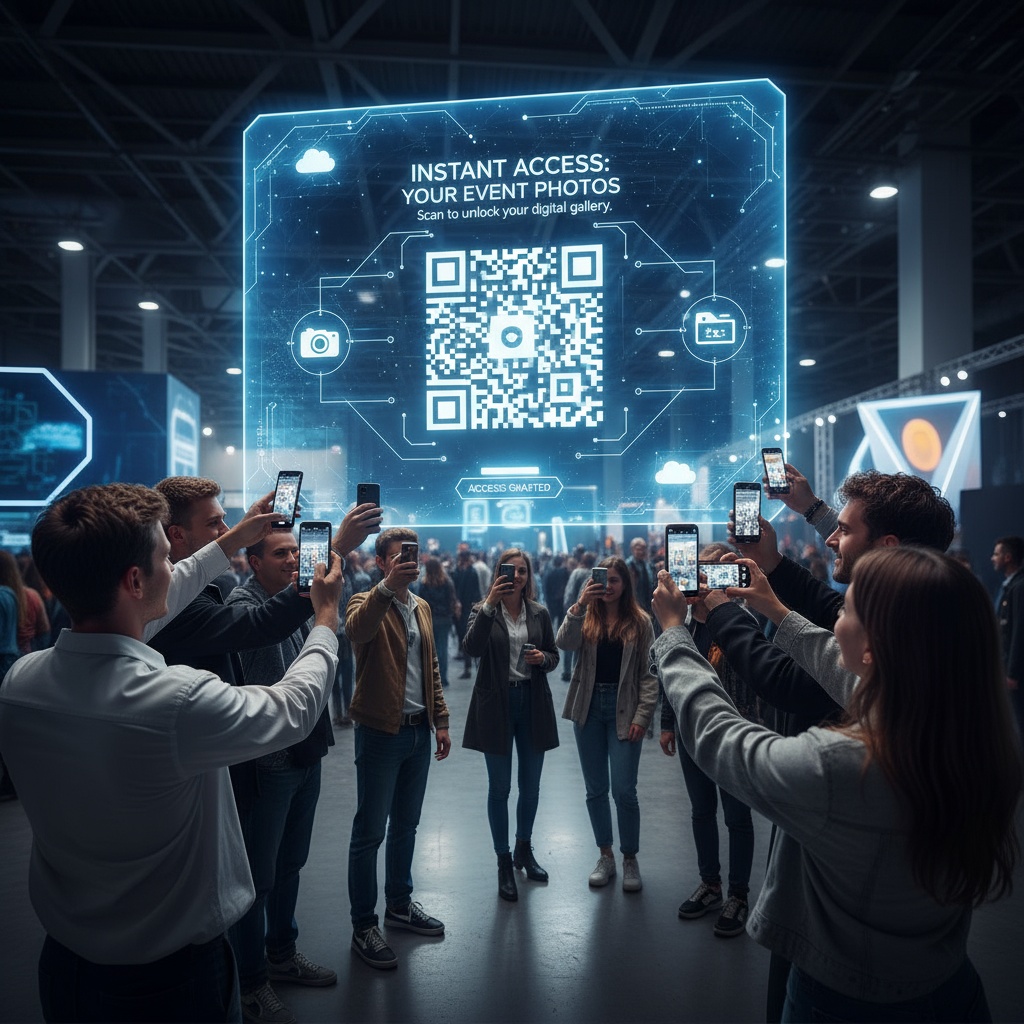
Hvad er et QR-kode-lagringssystem?
Traditionel definition: Brug af QR-koder som adgangspunkter til cloud-lagring, hvor folk kan uploade, se og organisere fotos/filer.
Specifikt til events: Et QR-kode-baseret fotosamlingssystem, hvor:
- Du opretter et event og genererer en unik QR-kode
- Gæster scanner koden med telefonkameraet (indbygget, ingen app)
- Uploadside åbner i browseren
- Gæster vælger fotos → uploader → fotos lagres automatisk
- Alle fotos organiseres i et privat eventgalleri
- Du downloader den komplette samling, når du er klar
Hvorfor “lagringssystem” er vigtigt: Det er ikke kun indsamling—det er organiseret, tilgængelig og delbar lagring, der bevarer fotos på lang sigt i stedet for at lade dem være spredt og sårbare over for sletning.
Gratis QR-kode-lagringsmuligheder
Mulighed 1: Platformes gratisplaner
Sådan fungerer det: Platforme til deling af eventfotos tilbyder gratis planer med lagerbegrænsninger, perfekte til mindre sammenkomster.
Typiske funktioner i gratisplaner:
- 50-100 foto-begrænsning
- 7-30 dages lageradgang
- Generering af QR-kode
- Browser-baseret upload
- Basisgalleri-funktioner
- Platformbranding synlig
Bedst til:
- Mindre sammenkomster (under 30 personer)
- Korte events (1-2 timer)
- Fødselsdage
- Små familiesammenkomster
- Test før du vælger betalt plan
Begrænsninger:
- Rammer fotoloft midt i eventet, hvis underestimeret
- Begrænset lagringsvarighed
- Ingen avancerede funktioner (live visning, moderation, tilpasset branding)
Platforme med gratisplaner:
- Fotify - Gratisplan til små events
- Pic-time - Begrænset gratis mulighed
- ShareCircle - Basal gratisplan
Mulighed 2: Google Fotos + QR-kodelink
Sådan fungerer det: Opret delt album i Google Fotos, generer kort URL, opret QR-kode, der linker til den URL.
Opsætning:
- Opret delt album i Google Fotos
- Hent delingslink
- Brug QR-kodegenerator (gratis: qr-code-generator.com, qrcode-monkey.com)
- Opret QR-kode, der peger på Google Fotos-linket
- Print og vis ved eventet
Fordele:
- Reelt gratis (ubegrænset Google Fotos-lagring i høj kvalitet)
- Permanent lagring
- Velkendt platform, som mange gæster allerede bruger
Begrænsninger:
- Gæster skal logge ind på Google-konto for at uploade
- Login-friktion reducerer deltagelse (30–40 % vs. 75–85 % for platforme uden login)
- Ingen event-specifikke funktioner
- Forvirrende uploadgrænseflade
- Fotos blandes med uploaderens personlige Google Fotos
Bedst til: Teknisk kyndige grupper, hvor alle har Google-konti og ikke har noget imod login-processen.
Mulighed 3: DIY: Cloud-lagring + QR-link
Sådan fungerer det: Opret mappe i Dropbox/OneDrive/iCloud, del link, generer QR-kode.
Opsætning:
- Opret mappe i en cloud-lagringstjeneste
- Indstil delingstilladelser til “alle med link kan uploade”
- Hent delingslink
- Generer QR-kode (gratis generator)
- Test, at QR-koden scanner til den korrekte uploadside
Pris: Gratisplaner varierer:
- Dropbox: 2 GB gratis
- OneDrive: 5 GB gratis (Microsoft-konto)
- iCloud: 5 GB gratis (Apple ID)
Begrænsninger:
- Kan kræve konto-login
- Uploadgrænseflade er ikke optimeret til mobil
- Ingen event-specifik organisering
- Begrænsninger på filstørrelse og -format
- Forvirrende for ikke-tekniske gæster
Bedst til: Små events, teknisk kyndige deltagere, kortvarige lagringsbehov.
Betalte QR-kode-lagringssystemer (Værd at vælge?)
Gratis begrænsninger:
- Loft på antal fotos (50-100)
- Begrænset lagringsvarighed (7-30 dage)
- Ingen live visning
- Platformbranding
- Begrænset support
Betalte planer ($25–$75 typisk):
- Ubegrænsede fotos (kritisk til events over 50 personer)
- Udvidet lagring (90 dage til permanent)
- Live visning på eventskærme
- Modereringsværktøjer
- Tilpasset branding
- Downloads i høj opløsning
- Prioriteret support
ROI-beregning:
Bryllup med 150 gæster:
- Forventede fotos: 400-700
- Gratisplans loft: 100 fotos
- Gratisplan fejler midt under receptionen
Betalt plan:
- Ubegrænsede fotos (indsamlede alle 647 fotos)
- Live visning øgede deltagelsen til 82 %
- Udvidet lagring i 1 år
- Pris pr. foto: $0,07
Konklusion: Til events over 50 personer er betalte planer investeringen værd. Til små sammenkomster (under 30) er gratisplaner som regel tilstrækkelige.
Lær mere om event walls og live fotodisplays, der fås i betalte planer.
Opsætning af dit gratis QR-kode-lagringssystem
Trin 1: Vælg platform
Til en helt gratis tilgang:
Lille event (under 30 personer):
- Brug platformens gratisplan (det enkleste)
- Alternativ: Delt album i Google Fotos
Mellemstort event (30-100 personer):
- Gratisplan (kan ramme begrænsninger)
- Overvej betalt plan for ro i sindet
Stort event (100+ personer):
- Gratisplan utilstrækkelig
- Betalt plan nødvendig ($45–$75)
Trin 2: Opret event og generer QR-kode
Platform-tilgang:
- Opret en gratis konto
- Opret nyt event
- Indtast eventnavn, dato, detaljer
- Platformen genererer automatisk QR-kode
- Download QR-kodebillede
DIY-tilgang:
- Opret delt album i Google Fotos eller en cloud-mappe
- Hent delingslink
- Besøg gratis QR-generator (qrcode-monkey.com)
- Indsæt delingslink
- Tilpas QR-kodedesign (valgfrit)
- Download QR-kodebillede
Trin 3: Design og print skiltning
Indhold på skilt:
Del dine fotos!

[Stor QR-kode]

1. Peg kameraet mod koden
2. Tryk på meddelelsen
3. Upload fotos

Ingen app nødvendig!
Printmuligheder:
Gratis/meget billigt:
- Print 8.5x11 derhjemme (godt til små sammenkomster)
- Print på bibliotek (typisk gratis)
- Kontorprinter
Professionelt ($10–40):
- FedEx Office plakatprint
- Staples printcenter
- Lokalt trykkeri
Placeringsstrategi:
- Velkomst/indtjekningsbord (alle ser det)
- Borde til reception/middag (synligt under middagen)
- Barområde (høj trafik)
- Toiletspejle (uventet sted med høj upload-rate)
Trin 4: Test før event
Kritisk test:
- Scan QR-kode med iPhone
- Scan med Android-telefon
- Upload testfoto fra hver
- Verificér, at fotos vises i galleri/lagring
- Tjek uploadhastighed
- Test downloadprocessen
Ret før event: Ødelagte QR-koder spilder muligheden under eventet. Test med flere enhedstyper.
Trin 5: Indsamling under event
Passiv indsamling:
- Gæster ser skilte, scanner, uploader organisk
- Ingen handling krævet fra dig
Aktiv opfordring:
- DJ/MC-annonceringer (2-3 gange under eventet)
- Brudepar/værter uploader først
- Demonstrér under velkomsttale
Overvågning:
- Tjek fototal med jævne mellemrum
- Løs problemer hurtigt, hvis uploads fejler
- Tak gæster, der uploader (social proof)
Optimering af dit QR-kode-lagringssystem
Øg deltagelsen
Uden live visning: 40–60 % deltagelse typisk Med live visning: 75–85 % deltagelse
Opsætning af live visning:
- Forbind TV/projektor til galleri-URL
- Fotos vises på skærme, efterhånden som de uploades
- Social proof motiverer flere uploads
- "Jeg vil se mine på den store skærm!"
Denne funktion kræver typisk betalte planer.
Organisér fotos efter eventet
Når indsamlingen lukker:
-
Download alle fotos
- Masse-download, hvis platformen understøtter det
- Individuelle downloads om nødvendigt
- Tag backup med det samme (stol ikke kun på platformen)
-
Organisér i mapper
- Efter tid (ceremoni, velkomstdrinks, reception, dans)
- Efter fotograf (professionel vs. gæster)
- Efter sted (hvis event på flere steder)
-
Lav redundante backups
- Cloud-lagring (Google Drive, Dropbox, iCloud)
- Ekstern harddisk
- Redundans forhindrer tab
-
Del med gæster
- Gallerilink (hvis platformen lagrer på lang sigt)
- Delt Google Fotos-album med kuraterede udvalgte
- Dropbox/Drive-link til downloads
Langsigtet lagringsstrategi
Stol ikke alene på platformens lagring:
Selv betalte planer udløber til sidst, eller platforme kan lukke. Din arbejdsgang:
- Download alle fotos inden for 48 timer efter event
- Gem lokalt på computer + ekstern harddisk
- Upload til personlig cloud (Google Fotos ubegrænset høj kvalitet eller betalt cloud-lagring)
- Valgfrit: Bestil fotobøger/print af favoritter
- Resultat: Fotos bevaret permanent, flere backups
Gratis vs. betalt: Hvornår skal du opgradere
| Funktion | Gratisplan | Betalt plan ($25–$75) |
|---|---|---|
| Fotoloft | 50-100 | Ubegrænset |
| Lagringsvarighed | 7-30 dage | 90 dage til permanent |
| Live visning | Nej | Ja |
| Tilpasset branding | Nej (platformlogo synligt) | Ja |
| Modereringsværktøjer | Basale eller ingen | Avancerede (godkend før visning) |
| Download-kvalitet | Kan være komprimeret | Fotos i fuld opløsning |
| Support | Begrænset | Prioriteret |
| Bedst til | Små sammenkomster (under 30) | Alle events med over 50 personer |
Opgraderingsmarkører:
✓ Event over 50 personer (overskrider gratis begrænsninger) ✓ Ønsker live visning under eventet ✓ Har brug for udvidet lagring (over 30 dage) ✓ Professionelt event, der kræver branding ✓ Ro i sindet (ingen loft midt i eventet)
Bliv på gratis:
✓ Lille sammenkomst (under 30 personer) ✓ Kort, enkelt event ✓ Test af platform før køb ✓ Meget stramt budget med plan om straks-download
FAQ om QR-kode-lagringssystem
Kan jeg bruge QR-koder til gratis fotolagring ved events?
Ja, platforme til eventfotos tilbyder gratisplaner (typisk 50-100 foto-begrænsning, 7-30 dages lagring), eller brug en DIY-tilgang med delt Google Fotos-album + gratis QR-generator. Gratisplaner virker til små sammenkomster under 30 personer. Til events over 50 personer forhindrer betalte ubegrænsede planer ($25–$75), at du rammer loftet midt i eventet, og de giver udvidet lagring samt funktioner som live visning.
Hvordan laver jeg en gratis QR-kode til fotindsamling?
Tilmeld dig en gratisplan hos en eventfoto-platform, opret event, platformen genererer automatisk QR-kode—download og print. Alternativ DIY: Opret delt album i Google Fotos, hent delingslink, besøg gratis QR-generator (qrcode-monkey.com), indsæt link, download QR-kode. Test scanning med både iPhone og Android før print af skilte for at bekræfte, at upload-siden virker korrekt.
Skal gæster bruge en app for at uploade fotos via QR-kode?
Nej. QR-koder virker med indbyggede telefonkameraer på iPhone (iOS 11+) og Android (8+). Gæster peger kameraet mod koden, en meddelelse dukker op for at åbne websiden, et tryk åbner browserens uploadside—vælg fotos og upload på 15 sekunder. App-fri tilgang giver 75–85 % deltagelse vs. 15–25 % for platforme, der kræver downloads. Universel kompatibilitet er QR-koders primære fordel.
Hvor længe varer gratis QR-kode-fotolagring?
Platformes gratisplaner tilbyder typisk 7–30 dages lageradgang, hvorefter gallerier bliver utilgængelige, medmindre du opgraderer. DIY med Google Fotos giver permanent gratis lagring. Bedste praksis: Download alle fotos inden for 48 timer efter eventet til personlig backup (cloud + ekstern harddisk), uanset platformens lagringsvarighed—risikér ikke at miste minder på grund af udløbet adgang.
Kan jeg bruge Google Fotos som gratis QR-kode-lagring?
Ja. Opret delt Google Fotos-album, hent delingslink, generér QR-kode, der linker dertil via en gratis generator. Reelt gratis ubegrænset lagring i høj kvalitet. Dog skal gæster logge ind på Google-konti for at uploade (friktion reducerer deltagelsen 30–50 %), og grænsefladen er ikke optimeret til mobil upload. Fungerer bedst for teknisk kyndige grupper, der ikke har noget imod login-trinnet.
Hvad er fotogrænsen for gratis QR-kode-lagring?
Gratisplaner har typisk loft på 50–100 fotos i alt. Mindre sammenkomster (under 30 personer, 2–3 timers events) overskrider sjældent dette. Mellemstore events (50–100 personer) risikerer at ramme loftet midt i eventet—ubegrænsede betalte planer giver ro i sindet. Store events (100+ personer) indsamler 400–700+ fotos, hvilket gør gratisplaner utilstrækkelige fra start. Budgettér efter antal gæster.
Hvordan opgraderer jeg fra gratis til betalt QR-kode-lagring midt i eventet?
De fleste platforme tillader øjeblikkelig opgradering—klik på opgraderingsknap, indtast betaling, fotoloft fjernes med det samme. Du behøver ikke oprette nye QR-koder eller afbryde eventet. Det er dog bedre at vurdere behov før eventet: over 50 gæster = start med betalt plan for at undgå panik midt i eventet. Opgradering virker, men skaber unødig stress under festen.
Kan jeg downloade fotos fra gratis QR-kode-lagring efter eventet?
Ja, i perioden med lageradgang (7–30 dage for gratisplaner). Download alle fotos med det samme inden for 48 timer efter eventet—vent ikke til sidste dag og risikér at glemme det. Gratisplaner kan komprimere downloads en smule vs. betalte planers fotos i høj opløsning. Masse-download sparer tid, men er ikke altid tilgængelig i gratisplaner; manuelle downloads virker, men er langsommere.
Er QR-kode-lagring mere pålidelig end at indsamle fotos via e-mail?
Markant mere pålidelig. E-mail-anmodninger giver 10–15 % deltagelse (folk glemmer, vedhæftninger fejler, travle indbakker). QR-koder giver 75–85 % deltagelse, fordi friktionen fjernes—scan, upload i browser, færdig på 15 sekunder. Fotos organiseres automatisk i galleri vs. spredte e-mailtråde. QR-tilgangen indsamler 5–7x flere fotos med betydeligt mindre indsats fra både dig og gæster.
Hvad sker der, hvis jeg overskrider grænserne for gratis QR-kode-lagring under eventet?
Platformen stopper typisk med at acceptere nye uploads og viser en besked om at opgradere. Fotos, der allerede er uploadet, forbliver tilgængelige, men nye uploads blokeres, indtil der opgraderes til betalt plan. Undgå dette ved at: (1) vælge betalt plan fra start, hvis der er over 50 gæster, (2) overvåge fototallet under eventet, (3) opgradere proaktivt, hvis du nærmer dig loftet—øjeblikkelige opgraderinger tager 2 minutter.
Sådan får du gratis QR-kode-lagring til at fungere
QR-kode-lagringssystemer har transformeret indsamling af eventfotos fra en umulig jagt (10 % via e-mail) til ubesværet automatisk indsamling (75–85 % deltagelse). Der findes gratis muligheder til små events, og betalte planer håndterer ubegrænsede fotos til større sammenkomster.
Valg mellem gratis og betalt:
- Under 30 personer: Gratisplan sandsynligvis tilstrækkelig
- 30–100 personer: Gratisplan kan fungere, betalt er sikrere
- Over 100 personer: Betalt plan nødvendig ($25–$75)
Succesformel:
- Vælg platform eller DIY baseret på eventstørrelse
- Generér og test QR-kode før event
- Print skilte, placer strategisk (5–10 steder)
- Lad gæster uploade organisk + DJ-annonceringer
- Download alle fotos inden for 48 timer
- Tag redundante backups (cloud + ekstern harddisk)
Klar til at implementere QR-kode-fotolagring til dit event? Opret gratis event og generér QR-kode på få minutter. Fra små sammenkomster til store fejringer—organiseret fotindsamling, der rent faktisk virker.
Udforsk flere QR-fotoguides: 5 grunde til at live-fotodeling er et must-have og introduktion af event walls.
Graits QR-kode-lagringssystemer til ubesværet indsamling af eventfotos. Fra små fester til store fejringer—organiserede gallerier, der fanger hver en erindring med Fotify.
Udforsk vores løsninger
Opdag hvordan Fotify kan forvandle dine events