Upload da Cabine de Fotos
As cabines de fotos tradicionais prendem as fotos do seu evento em três lugares: impressões físicas entregues aos convidados, um pendrive USB entregue semanas depois e, talvez, uma galeria online que expira em 30 dias. Enquanto isso, as centenas de fotos que os convidados tiram no celular ao longo de todo o evento? Nunca são coletadas. Essa abordagem fragmentada torna impossível obter uma cobertura completa.
Os sistemas modernos de upload de cabine de fotos unificam tudo — cliques profissionais da cabine, seleções do fotógrafo e fotos dos smartphones dos convidados — em uma única galeria com acesso instantâneo, onde todas as fotos são enviadas em tempo real, independentemente da origem. Nada de esperar por USB, links que expiram ou coleções espalhadas.
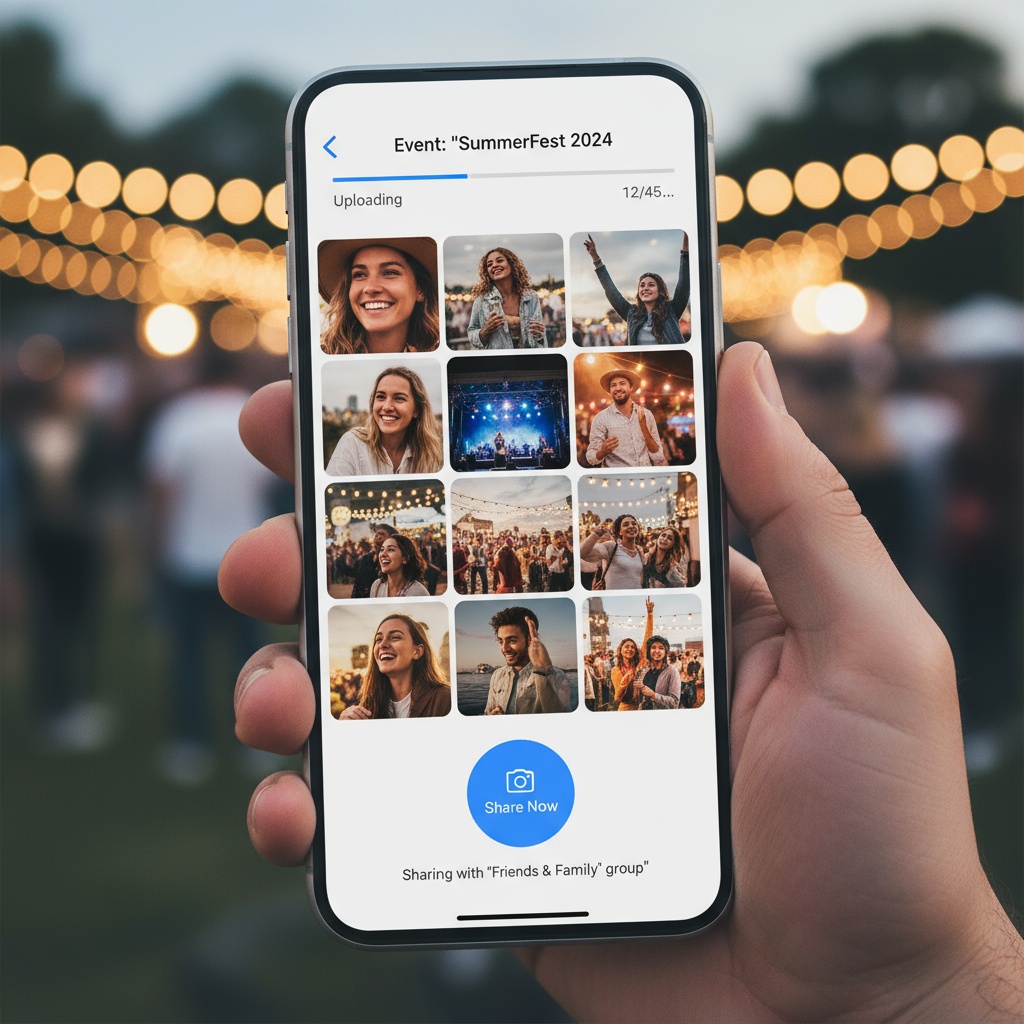
O Problema do Upload da Cabine de Fotos
O que as cabines tradicionais entregam:
- 80–120 fotos tiradas na cabine
- Impressões físicas durante o evento (divertidas, mas limitadas)
- Pendrive/USB 7–14 dias depois (se o fornecedor lembrar)
- Talvez uma galeria online (expira em 30 dias)
- Zero fotos dos celulares dos convidados coletadas
O que você realmente quer:
- Fotos da cabine (momentos posados e divertidos)
- Fotos dos convidados (espontâneas, cobertura abrangente)
- Acesso digital instantâneo (sem esperar por USB)
- Galeria unificada (um só lugar, não espalhada)
- Acesso estendido (1 ano+, não 30 dias)
A lacuna: a cabine te dá 100 fotos de um único lugar. Os convidados tiraram 400 fotos pelo resto do espaço. Você coleta talvez 40 dessas 400. Cobertura total: 140 fotos quando existiam 500+.
Soluções Modernas de Upload para Cabine de Fotos
Opção 1: Sistema de Upload por QR Code (Sem Cabine)
Substitua a cabine tradicional por completo com QR Codes espalhados pelo local:
Como funciona:
- Gere QR Codes por meio de uma plataforma como a Fotify
- Distribua os códigos em 10–15 pontos (entrada, mesas, bar, banheiros, locais para fotos)
- Convidados escaneiam → fazem upload pelo celular instantaneamente
- As fotos aparecem em telões/displays em tempo real
- Colete 300–800 fotos de todo o evento
Vantagens: ✓ Sem aluguel de cabine (economia de $600-$1,500) ✓ Cobertura abrangente do local (não só o canto da cabine) ✓ 5–10x mais fotos ✓ Sem filas/engarrafamentos ✓ Entrega digital instantânea
Desvantagens: ✗ Sem impressões físicas instantâneas durante o evento ✗ Requer bom Wi‑Fi ou dados móveis no local ✗ Experiência de fotos menos “oficial” que a da cabine
Ideal para: Casais com orçamento justo, locais amplos, prioridade em cobertura abrangente
Saiba mais sobre cabines de fotos com QR code.
Opção 2: Cabine Tradicional + Upload via QR (Híbrido)
Mantenha a cabine para fotos posadas e adicione QR para coletar espontâneas:
Como funciona:
- Alugue uma cabine tradicional ($600-$1,200)
- Crie também um sistema de upload por QR code ($25-$75)
- A cabine captura fotos posadas e divertidas (80–120)
- Os QR codes coletam espontâneas dos convidados (300–500)
- Ambos alimentam a mesma galeria unificada
Vantagens: ✓ O melhor dos dois mundos ✓ Impressões instantâneas da cabine (experiência tátil) ✓ Cobertura ampla de espontâneas via QR ✓ Coleta unificada (não dispersa)
Desvantagens: ✗ Custo combinado $625-$1,275 ✗ A cabine ainda limita a cobertura a um ponto ✗ Coordenação entre fornecedores se forem separados
Ideal para: Casais que querem a experiência da cabine sem abrir mão da cobertura abrangente
Opção 3: Cabine DIY com Tablet + Upload via QR
Crie sua própria cabine e complemente com QR:
Equipamentos:
- iPad + tripé ($50 de aluguel ou próprio)
- Fundo + adereços ($50-$150)
- App Simple Booth ou similar ($10-$20/mês)
- Sistema de upload via QR para convidados ($0-$75)
Vantagens: ✓ Experiência de cabine por uma fração do custo ✓ Controle de configuração/personalização ✓ O complemento por QR cobre o local de forma abrangente ✓ Custo total: $110-$245 vs $600-$1,500
Desvantagens: ✗ Carga de montagem DIY ✗ Solução de problemas técnicos por sua conta ✗ Sem atendente profissional ✗ Qualidade do iPad < câmeras de cabines profissionais
Ideal para: casais confortáveis com DIY, prioridade de orçamento, eventos menores
Upload Instantâneo: Como Funciona na Prática
Fluxo da cabine tradicional:
- Convidados posam na cabine
- A cabine imprime as fotos (instantâneo)
- A cabine salva cópias digitais
- O fornecedor baixa os arquivos após o evento
- O fornecedor faz upload para o próprio servidor
- Você recebe o USB/link 1–3 semanas depois
- Acesso digital atrasado
Fluxo moderno de upload via QR:
- Convidados posam em qualquer lugar do local
- Tiram a foto com o celular
- Escaneiam o QR code (5 segundos)
- Fazem upload da foto (10 segundos)
- A foto aparece na galeria + displays instantaneamente
- Acesso digital em tempo real
Diferença de tempo: semanas vs segundos
Galeria Unificada: Combinando Todas as Fontes
Melhor prática: uma galeria para tudo:
Fontes para Combinar
- Fotógrafo profissional envia seleções durante o evento
- Fornecedor da cabine de fotos compartilha as fotos da cabine (se usar cabine tradicional)
- Uploads via QR dos convidados entram ao longo da recepção
- Seu celular (bastidores e preparativos)
- Cortejo fotos de antes da cerimônia
Resultado: 800–1.500 fotos abrangentes de todas as perspectivas em um só lugar organizado.
Implementação
Requisitos da plataforma:
- Múltiplos métodos de upload (QR, upload direto, e-mail)
- Armazenamento ilimitado
- Organização por fonte (álbuns opcionais)
- Download em lote
- Acesso estendido (1 ano+)
Custo: normalmente $45–$75 (é preciso o plano premium para múltiplos recursos)
Valor: narrativa visual completa do casamento vs coleções fragmentadas e dispersas
FAQ de Upload da Cabine de Fotos
Como faço upload das fotos de uma cabine de fotos?
Cabines tradicionais: o fornecedor entrega um pendrive USB ou link online 7–14 dias após o evento com as cópias digitais. Sistemas modernos de upload via QR: os convidados escaneiam o código e enviam as fotos instantaneamente durante o evento — elas aparecem na galeria em segundos, sem esperar por USB. Para a abordagem híbrida, solicite que o fornecedor da cabine faça o upload direto na sua plataforma em vez de uma entrega separada.
Os convidados podem enviar as próprias fotos como numa cabine de fotos?
Sim, via plataformas de upload por QR code. Coloque QR codes por todo o local (funciona como uma cabine de fotos distribuída) — os convidados escaneiam com a câmera do celular, abre-se uma página de upload no navegador, eles selecionam as fotos e enviam em 15 segundos. Entrega 300–800 fotos vs 80–120 da cabine tradicional, cobre todo o local vs apenas o canto da cabine, zero custo de aluguel, acesso digital instantâneo. Saiba mais sobre compartilhamento de fotos de eventos.
As fotos da cabine de fotos fazem upload automaticamente?
Cabines tradicionais: as fotos ficam salvas no equipamento do fornecedor, que faz upload manual para seus servidores após o evento, com entrega em 1–3 semanas. Cabines inteligentes modernas: algumas enviam durante o evento se estiverem conectadas ao Wi‑Fi. Sistemas de upload via QR dos convidados: upload automático e instantâneo conforme eles escaneiam e compartilham — aparece na galeria em tempo real. Para cabines tradicionais, peça ao fornecedor acesso a upload no mesmo dia, se possível (raro).
Para onde vão as fotos da cabine após o evento?
Cabine tradicional: armazenamento do fornecedor (entrega por USB ou galeria proprietária que expira em 30 dias). As cópias digitais ficam dispersas: algumas no USB, outras na galeria do fornecedor que expira, e impressões físicas nas mãos dos convidados. Abordagem moderna e unificada: todas as fotos (cabine + fotógrafo + convidados) em uma única galeria permanente sob seu controle, com acesso estendido (1 ano+) e downloads.
Quanto tempo leva para receber as fotos da cabine de fotos?
Cabines tradicionais: impressões físicas instantâneas durante o evento, entrega digital por USB/link 7–21 dias após. Sistemas modernos de upload via QR: acesso digital instantâneo durante o evento — as fotos ficam visíveis na galeria segundos após o envio. Cabines inteligentes com Wi‑Fi: acesso digital no mesmo dia se o fornecedor disponibilizar. Sempre esclareça o prazo de entrega digital com o fornecedor da cabine antes de contratar.
Posso criar meu próprio sistema de upload para cabine de fotos?
Sim. Crie o evento em uma plataforma como a Fotify, gere o QR code, imprima e espalhe pelo local. Os convidados escaneiam e enviam as fotos pelos celulares — funciona como uma cabine distribuída por $0–$75 vs cabine tradicional $600–$1,500. Alternativa DIY: alugue iPad + fundo ($100–$200), use o app Simple Booth para o canto de fotos e complemente com QR codes para coleta em todo o local.
Qual é a melhor maneira de compartilhar as fotos da cabine de fotos?
Envie todas as fotos (cabine + fotógrafo + uploads de convidados) para uma plataforma unificada com link de compartilhamento, envie o link a todos os participantes com proteção por senha opcional, permita downloads pelos convidados e defina expiração (de 30 dias a permanente). Evite: galerias específicas do fornecedor (expiram rápido), pendrives USB (não são compartilháveis), fontes dispersas (confusas). Uma galeria centralizada com link de compartilhamento dá acesso fácil a todos.
Preciso de Wi‑Fi para uploads da cabine de fotos?
Cabines tradicionais: não precisam de Wi‑Fi (salvam localmente; o fornecedor envia depois). Sistemas modernos de upload via QR: exigem Wi‑Fi ou dados móveis para os uploads dos convidados. Melhor prática: colocar a senha do Wi‑Fi do local nas placas com QR; a plataforma deve suportar backup por rede celular. Teste a conectividade durante o ensaio. Um hotspot móvel com dados ilimitados serve de backup para Wi‑Fi fraco.
As fotos podem ir da cabine de fotos para o celular?
Impressões da cabine tradicional: o convidado fica com a impressão física; para digitalizar, precisa escanear/fotografar (processo manual). Sistema moderno via QR: as fotos são enviadas dos celulares dos convidados direto para a galeria — eles mantêm os originais no telefone e ainda têm o backup na galeria. Algumas cabines inteligentes enviam cópias digitais por e-mail/SMS diretamente para os celulares dos convidados. Sempre confirme os recursos de envio para o celular com o fornecedor antes de contratar.
Como organizar as fotos enviadas da cabine de fotos?
Baixe da plataforma e crie pastas por momento do evento (cerimônia, coquetel, fotos da cabine, recepção, pista). Plataformas modernas permitem organizar em álbuns dentro da galeria — crie o álbum “Fotos da Cabine” separado de “Uploads dos Convidados” e “Seleções do Fotógrafo”. Marque/etiquete as fotos por fonte para facilitar a triagem. Use o recurso de download em lote para baixar tudo de uma vez, em vez de downloads individuais.
Modernizando a Coleta de Fotos da Cabine de Fotos
Fornecedores tradicionais de cabines de fotos construíram modelos de negócio baseados em entrega digital tardia — pendrives semanas depois, galerias que expiram e coleções fragmentadas e dispersas. Os casais modernos esperam acesso digital instantâneo, organização unificada e cobertura abrangente além do canto da cabine.
A solução não é eliminar as cabines — é unificar todas as fontes de fotos:
- Fotos da cabine (se usar cabine tradicional)
- Seleções do fotógrafo
- Uploads de smartphones dos convidados (via QR codes)
- Contribuições do cortejo
Uma única galeria, acesso instantâneo, duração estendida, cobertura completa.
Pronto para unificar a coleção de fotos do seu evento? Crie seu evento com sistema de upload por QR instantâneo. De complemento de cabine a substituição de cabine, uma coleta moderna de fotos que entrega resultados imediatos e abrangentes.
Explore mais soluções de upload: cabines de fotos com QR code, compartilhamento de fotos de eventos e introdução à Fotify.
Sistemas de upload para cabine de fotos que unificam todas as fotos do evento — cabine, fotógrafo e uploads dos convidados — em uma galeria com acesso instantâneo, com a Fotify.
Os preços podem variar de acordo com o seu país e moeda. Veja os preços mais recentes na página de preços.
Explore Nossas Soluções
Descubra como o Fotify pode transformar seus eventos