QR Codes for Event Photos: Let Guests Upload Instantly
Traditional photo booths cost $600-$1,500, capture 80-120 photos from one corner of your event, and create bottlenecks as guests wait in line. Meanwhile, your 100+ attendees are already taking hundreds of photos on their phones throughout your entire venue—photos you'll never see because collecting them afterward is nearly impossible.
QR code photo booths flip this model: Instead of herding guests to one booth, you bring the "booth" to them via scannable codes placed throughout your venue. Guests scan, upload in 15 seconds from wherever they are, and photos appear on displays in real-time. No lines, no limits, comprehensive coverage—at a fraction of traditional costs.
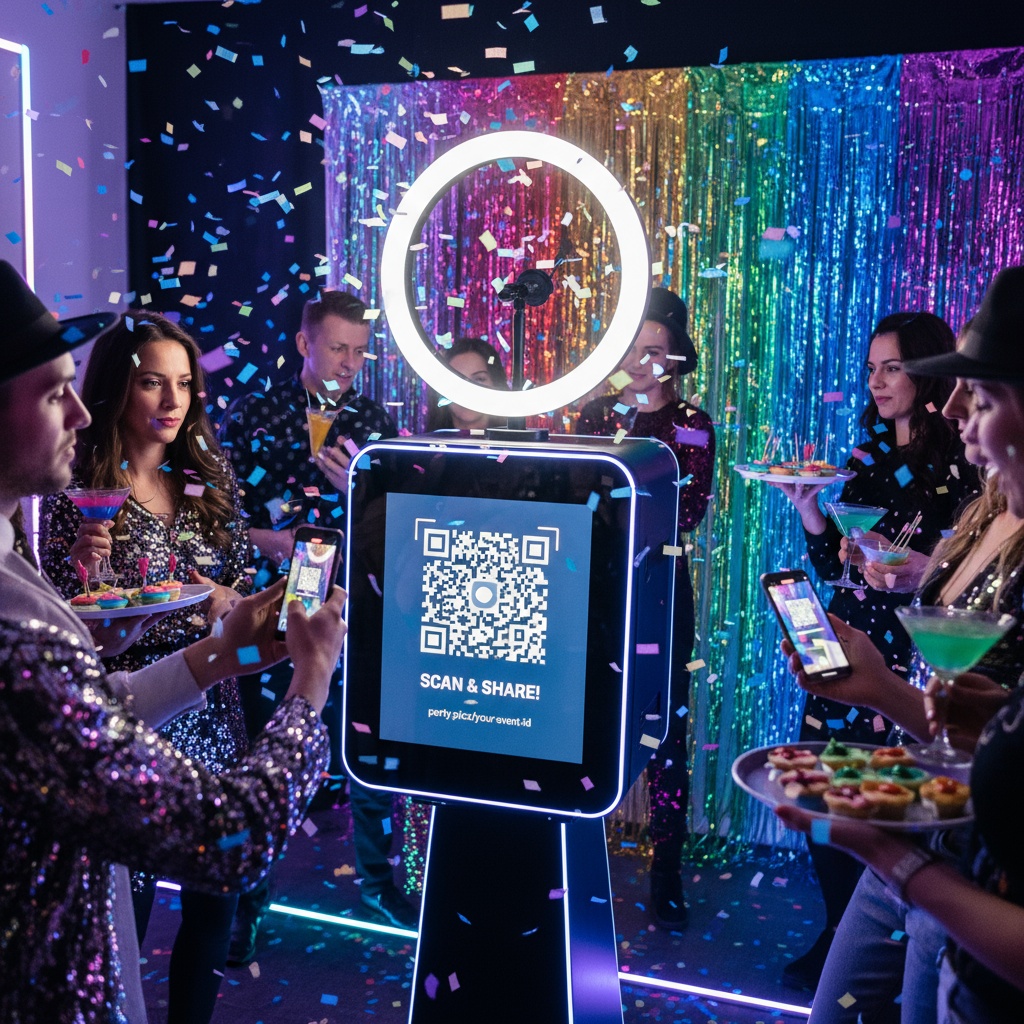
What Is a QR Code Photo Booth?
Traditional photo booth:
- Physical setup (camera, backdrop, props, printer)
- One location at venue
- Guests line up, pose, receive instant prints
- 80-120 photos from booth corner only
- $600-$1,500 rental
QR code photo booth:
- No physical equipment needed
- QR codes placed throughout venue (10-20 locations)
- Guests scan code with phone camera, upload from anywhere
- Photos appear on displays and in shared gallery
- 300-800+ photos from entire event
- $0-$75 platform cost
Key difference: Traditional booth is stationary physical device. QR booth is distributed digital system leveraging phones guests already have.
How QR Code Photo Booths Work
Setup (5 Minutes)
- Create event on photo sharing platform
- Platform auto-generates unique QR code
- Download QR code image
- Print signs with QR code (home printer works fine)
- Place signs throughout venue
No equipment rental, no vendor coordination, no delivery logistics.
During Event (Automatic)
Guest experience:
- Sees QR code sign at table/bar/entry
- Opens phone camera (built-in, no app)
- Points at code
- Notification: "Open website"
- Taps → browser upload page loads
- Selects photos → uploads
- Photos appear on event displays within seconds
15 seconds from scan to upload. Works on all smartphones, no downloads, no accounts.
Your experience:
- Photos flow in automatically
- Live display updates in real-time
- Moderate if desired (approve before public display)
- Download all photos after event
After Event (Instant Access)
- All photos in organized gallery
- Bulk download photos
- Share link with all attendees
- Use for prints, albums, social media
Learn more about QR code implementation for weddings and event photo collection.
QR Code Photo Booth vs Traditional Comparison
| Feature | QR Code Photo Booth | Traditional Photo Booth |
|---|---|---|
| Cost | $0-$75 | $600-$1,500 |
| Photos Captured | 300-800+ (entire venue) | 80-120 (booth corner only) |
| Coverage Area | Everywhere guests go | One 6x6 ft booth space |
| Wait Time | None (instant upload anywhere) | Line bottleneck (3-5 min wait) |
| Setup Time | 5 minutes (print signs) | 1-2 hours (vendor installation) |
| Equipment Needed | Signs with QR codes | Camera, printer, backdrop, props |
| Instant Prints | No (order afterward if desired) | Yes |
| Digital Sharing | Immediate, built-in | Delayed (vendor sends link later) |
| Live Display | Yes (photos on screens real-time) | No (photos siloed in booth) |
| Guest Engagement | 75-85% participation | 30-40% use booth |
Winner: QR code booths deliver 5-10x more photos at 1/10 the cost while covering entire event instead of one corner.
Strategic QR Code Placement
For 150-guest event, place 12-15 QR codes:
Essential Locations
1. Welcome/Entry Table (Priority #1)
- Everyone passes this point
- First touchpoint
- 8x10 or 11x14 sign
- Clear instructions
2. Reception Tables (8-10 cards)
- One per table or every other table
- 4x4 inch cards
- Visible during dinner
- Guests have downtime to upload
3. Bar Area (2 signs)
- High traffic location
- Guests linger while waiting
- Phones already in hand
- Natural upload opportunity
High-Impact Optional Locations
4. Bathroom Mirrors (2-4 decals)
- Unexpected high-upload location
- Guests have phones + downtime
- Perfect for selfies
- Mirror proximity encourages photo-taking
5. Photo Opportunity Spot
- Backdrop, scenic view, decorated area
- Immediate upload encouragement
- "Just took photo? Upload it!"
6. Food/Buffet Area
- Guests photograph food
- QR code nearby captures this
- Creative food plating gets documented
7. Dance Floor Periphery
- Capture dance energy
- Multiple angles of same moments
- Guests photograph friends dancing
Strategic Spacing
Don't: Put all 15 QR codes at entrance (information overload) Do: Distribute throughout venue, multiple reminders as guests move
Setting Up Your QR Code Photo Booth
Platform Selection
Free tier appropriate for:
- Small events (under 30 people)
- Limited budget
- Testing before committing
- Typically 50-100 photo cap
Paid plans ($25-$75) necessary for:
- Events over 50 people
- Unlimited photos
- Live display features
- Extended storage (90 days to permanent)
- Custom branding
Fotify offers both free tier and paid plans for all event sizes.
QR Code Design
Include on signage:
- Large QR code (3x3 inches minimum)
- Event name
- Simple 3-step instructions
- Visual appeal matching event theme
Example sign:
Party Photo Booth!

[Large QR Code]

Scan → Upload → See photos on screen!
No app required
Live Display Setup
Equipment needed:
- TV, monitor, or projector
- Device to display gallery (laptop, tablet, streaming stick)
- WiFi connection
Configuration:
- Connect display to gallery's display URL
- Enable auto-advance slideshow
- Set to full-screen mode
- Choose display style (carousel, grid, slideshow)
Impact: Live displays increase participation 40-60% through social proof motivation.
Real Event Results
Corporate Holiday Party - 200 employees:
QR code booth setup:
- 15 QR codes throughout venue
- Two 65" displays showing live uploads
- Open bar with QR code signs
Collection:
- 1,087 photos uploaded during 4-hour party
- 68% employee participation
- Photos ranged from professional group shots to candid bar moments to dance floor chaos
Cost: $75 (corporate unlimited plan) Alternative quote: Traditional photo booth $1,200
ROI: Saved $1,125, collected 10x more photos, comprehensive venue coverage vs booth corner only.
Birthday Party - 80 guests:
QR code booth setup:
- 10 QR code locations
- Projector displaying on garage door
- DIY printed signs
Collection:
- 394 photos during 5-hour party
- 71% participation
- Captured pool area, yard games, food table, dance floor—perspectives traditional booth would miss
Cost: $35 (party plan) Comparison: Traditional photo booth unavailable for backyard venue, would've required $800-$1,000 if brought in.
Enhancing Your QR Code Photo Booth
Add Physical Booth Element (Hybrid)
Best of both worlds:
- Create one designated photo spot (backdrop, props)
- Place QR code prominently at this location
- Guests pose, then immediately scan and upload
- Also have QR codes elsewhere for candid photos
Result: Instagram-worthy photo op + comprehensive candid collection + no vendor costs.
Gamification
Increase engagement:
- Best photo wins prize (announce winner at end)
- Photo scavenger hunt (upload photo with X, Y, Z)
- Most uploads per person competition
- Time-based challenges
Impact: Gamification increases participation 15-25%.
Custom Branding
Paid plans typically offer:
- Your logo on upload page
- Event colors throughout interface
- Custom welcome message
- Branded watermarks on photos (optional)
Why it matters:
- Professional appearance
- Corporate events benefit from branding
- Wedding branding creates cohesive aesthetic
- Photos are marketing for future events
Content Moderation
For family/professional events:
- AI filtering (automatic inappropriate content screening)
- Manual approval (review before display)
- Fast workflow (swipe to approve/reject)
Guest perspective: Upload succeeds immediately (private gallery), you curate what appears publicly on screens.
QR Code Photo Booth FAQ
How do I create a QR code for a photo booth?
Sign up for event photo platform (like Fotify), create your event with date and details, platform auto-generates unique QR code—download as image file and print on signs. No QR generator needed; photo platforms include this. Alternative DIY: Create Google Photos shared album, get link, use free QR generator (qrcode-monkey.com) to create code. Test scanning with both iPhone and Android before printing.
Do guests need an app to use QR code photo booths?
No app required. Modern iPhones (iOS 11+) and Android phones (Android 8+) scan QR codes using built-in camera. Guest opens camera, points at QR code, notification appears ("Open website"), tap opens browser upload page—select photos and upload in 15 seconds. Universal compatibility without downloads is the primary advantage over app-based solutions.
How much does a QR code photo booth cost?
Free tiers exist (50-100 photo limits, 7-30 day access) for small events. Paid plans cost $25-$75 for unlimited photos, extended storage, live displays, and custom branding—sufficient for most weddings/parties. Compare to traditional photo booth rentals at $600-$1,500. QR approach costs 90-95% less while delivering 5-10x more photos from comprehensive venue coverage vs booth corner only.
Can QR code photo booths display photos in real-time?
Yes, connect TV/projector to gallery's display URL and uploaded photos appear on screens within seconds. Choose carousel (one photo at a time), grid (multiple visible), or slideshow modes. Live display dramatically increases participation—guests upload specifically to see their photos featured, creating social proof that motivates others. This feature typically requires paid plans ($25-$75).
Is a QR code photo booth better than a traditional booth?
QR code booths deliver 5-10x more photos (300-800 vs 80-120), cost 90% less ($25-$75 vs $600-$1,500), cover entire venue vs one corner, eliminate wait lines, and enable instant digital sharing. Traditional booths provide instant physical prints and professional photo quality. Best for most events: QR comprehensive collection + optional professional photographer for key moments delivers both quantity and quality.
How do I encourage guests to use QR code photo booth?
Place QR codes in 10-15 high-traffic locations (entry, tables, bar, bathrooms, photo spots). Enable live display showing uploads on screens (motivates through social proof). DJ/MC announces feature 2-3 times during event. Wedding party/hosts upload first to demonstrate. Keep instructions simple (3 steps maximum). Optional gamification: best photo wins prize or upload competition increases participation.
What size should QR codes be for photo booths?
Welcome/entry signs: 3x3 to 4x4 inches (guests scan from 3-4 feet away). Table cards: 2x2 to 3x3 inches (closer scanning distance). Bathroom decals: 2x2 inches. Test scanning from typical viewing distance before final printing—too small causes scan failures and reduces participation. Print with high contrast (black on white) for best reliability across all phone models.
Can I use QR code photo booths for weddings?
Highly effective for weddings. Place QR codes at welcome table, reception tables, bar, photo booth backdrop, bathrooms. Collect 400-700 candid guest photos vs professional photographer's 300-500—comprehensive coverage from all perspectives. Cost $25-$75 vs traditional booth $800-$1,200. Ceremony: keep unplugged (professional photographer works). Reception: encourage QR uploads for complete candid collection. Learn more about wedding QR implementation.
What happens if venue has poor WiFi for QR photo booth?
Provide venue WiFi password on QR code signs. Modern platforms support cellular data uploads as backup—guests use their phone data. Photos queue if connection temporarily poor, upload when restored. Test connectivity during venue walkthrough/rehearsal to identify dead zones. Bring mobile hotspot with unlimited data as backup. Most events with 50+ guests uploading simultaneously need strong WiFi or multiple access points.
How long do QR code photo booth galleries stay accessible?
Free tiers: 7-30 days. Paid plans: 90 days to permanent depending on tier. Always download all photos within 48 hours of event to personal backup (cloud + external drive)—don't rely solely on platform storage for only copy. After download, share gallery link with guests for their access/downloads. Set gallery expiration based on needs (30 days for casual events, 1 year+ for weddings).
Reimagining Photo Booths for Modern Events
Traditional photo booths made sense before smartphones. Now, every guest carries a camera capable of capturing moments from dozens of angles across your entire venue. QR code photo booths leverage this reality instead of fighting it—turning scattered phone cameras into comprehensive coordinated coverage.
The formula:
- 10-15 QR codes throughout venue
- Live display on screens
- Strategic announcements
- Optional physical photo spot for posed shots
- Result: 5-10x more photos at 10% the cost
Ready to create your QR code photo booth? Generate your event QR code in minutes. From backyard parties to corporate galas, modern photo collection that captures everything.
Explore more QR solutions: QR codes for weddings, event walls, and comprehensive photo sharing.
QR code photo booths that replace expensive rentals with smart distributed collection. Comprehensive coverage, instant sharing, and live displays with Fotify.
Pricing may vary depending on your country and currency. See the latest pricing on the pricing page.
Related Pages
Discover how Fotify can transform your events