Wedding Photo App for Guests: Collect and Share Pictures Effortlessly
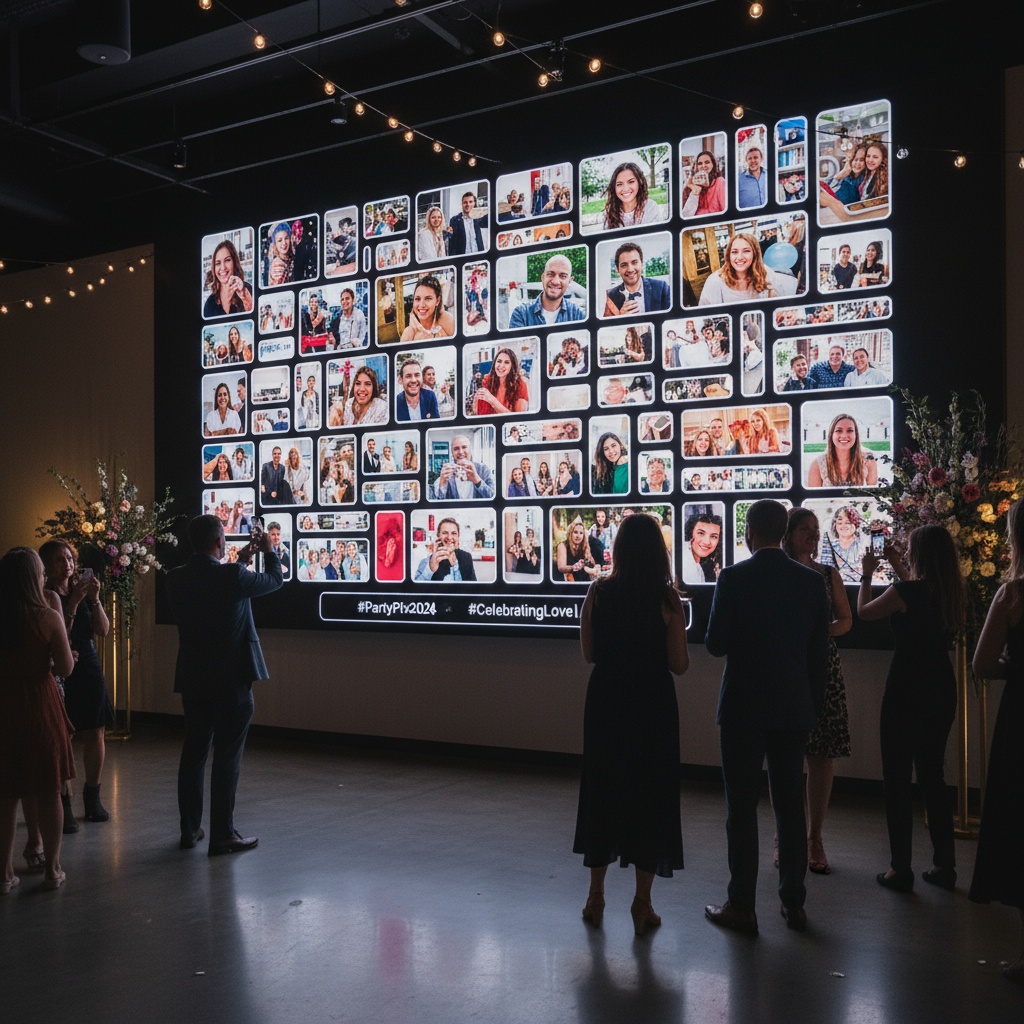
Picture this: Your guests enter the reception and immediately see a stunning display—photos from your ceremony scrolling across a large screen. Throughout the night, candid shots appear seconds after guests take them. Uncle Bob's dance floor moves, your flower girl's adorable confusion during the ceremony, that perfect sunset photo your maid of honor just captured—all displayed in real-time while the party happens.
This is a wedding gallery wall: a live digital display that transforms photo sharing from a post-event afterthought into real-time entertainment that drives engagement, creates buzz, and captures hundreds more memories than traditional methods ever could.
What Is a Wedding Gallery Wall?
Traditional concept: Physical gallery walls featuring printed photos, typically from engagement shoots or family history, displayed at ceremony or reception entrance.
Modern digital evolution: Large screen (TV, projector, or LED display) showing continuously updating slideshow of wedding photos uploaded in real-time by guests and photographers during the event.
Key difference: Traditional walls are static decoration. Digital gallery walls are interactive entertainment that grows throughout your wedding, engaging guests and documenting moments as they happen.
Why Wedding Gallery Walls Transform Reception Experience
1. Real-Time Entertainment Value
Traditional reception entertainment:
- DJ/band music (essential)
- Dance floor (primary activity)
- Speeches/toasts (scheduled moments)
- Photo booth (corner activity)
- Conversation (background)
Gallery wall adds:
- Continuous visual interest during cocktail hour, dinner, and dancing
- "I want to see my photo on the big screen!" motivation
- Conversation starter ("Did you see that photo of...?")
- Entertainment for non-dancers
- Something to watch during dinner lulls
Result: Guests stay engaged throughout entire reception, not just during peak dance times.
2. Social Proof Drives Participation
Psychology: When guests see others' photos appearing on screens within seconds, they want their own featured too.
Without gallery wall:
- QR codes visible but passive
- Guests think "maybe later" → never uploads
- Participation rate: 40-50%
With gallery wall:
- Visual proof uploads work instantly
- Excitement seeing themselves displayed
- Social competition (friendly) to get featured
- Participation rate: 75-85%
Math: 150-guest wedding goes from 60-75 photos to 300-450 photos with live display.
3. Captures Perspectives Photographer Can't
Photographer limitations:
- One person, one perspective
- Positioned for optimal professional shots
- Can't be in multiple locations simultaneously
- Focused on key planned moments
Gallery wall reveals:
- Guest photos from ceremony pews (reactions photographer couldn't see)
- Dance floor chaos from inside the crowd
- Candid table conversations during dinner
- Behind-the-scenes getting ready moments
- Bathroom mirror selfies documenting style evolution
Complete story: Professional artistry meets authentic spontaneity, all displayed together.
Setting Up Your Wedding Gallery Wall
Equipment You Need
Display options:
TV (most common):
- Size: 55-75 inches for venues under 150 guests
- Cost: $400-$1,200 purchase, or $50-$150 rental
- Advantage: Sharp image, easy setup, works in bright rooms
- Placement: On stand near cocktail area or dance floor
Projector:
- Size: Can project 80-150 inches depending on throw distance
- Cost: $200-$800 purchase, or $75-$200 rental
- Advantage: Dramatic impact, movie-theater feel
- Placement: Projects onto wall or screen
- Consideration: Requires darker room for optimal viewing
LED wall (premium option):
- Size: Modular panels creating custom sizes
- Cost: $500-$2,000 rental (rare for individual weddings)
- Advantage: Outdoor-friendly, ultra-bright, modern aesthetic
- Common use: Large outdoor weddings, corporate-style celebrations
Connection device:
- Laptop, tablet, or streaming stick (Chromecast, Fire Stick, Apple TV)
- Connects to display
- Opens gallery's display URL
- Runs slideshow automatically
Technical Setup (Day-Of)
30 minutes before guests arrive:
-
Position display
- Near cocktail area (visible during arrival)
- Angle away from direct sunlight if near windows
- Height: Center of screen at 5-6 feet (average eye level)
- Distance from seating: Visible from 15-20 feet away
-
Connect to gallery
- Open gallery's dedicated display URL on device
- Full-screen mode (hide browser bars)
- Select display mode (carousel or slideshow)
- Set transition speed (3-5 seconds per photo works well)
- Enable auto-advance
-
Test functionality
- Upload test photo from phone
- Verify appears on display within 5-10 seconds
- Check image quality and sizing
- Test moderation if enabled
-
Prepare backup
- Have mobile hotspot ready if venue WiFi fails
- Know how to restart display device if needed
- Assign tech-savvy friend as backup troubleshooter
Strategic Placement for Maximum Impact
Cocktail hour location:
- Why: Guests arrive, have drinks, socialize—natural attention toward displays
- Positioning: Near bar or lounge area where guests congregate
- Benefit: First photos appearing demonstrate functionality, kickstart uploads
Reception hall:
- Why: Visible during dinner and dancing
- Positioning: Off to side (not blocking dance floor or stage)
- Benefit: Continuous engagement throughout reception
Multiple displays (large weddings):
- Cocktail area: First display showing ceremony photos
- Reception: Second display showing real-time uploads
- Dance floor: Third display (optional) for high-energy moment captures
Avoid positioning:
- Behind head table (guests can't see)
- Directly in sun (image washes out)
- Blocking traffic flow
- Competing with band/DJ stage
Content Moderation for Gallery Walls
Why moderation matters: You love your friends, but maybe not Dave's 3am bachelor party throwback photo displayed during dinner with your grandmother watching.
Two-tier approach:
1. Automatic AI filtering:
- Screens obvious inappropriate content
- Happens instantly on upload
2. Manual approval (you control):
- Review photos before public display on wall
- Takes 2-3 seconds per photo
- Guests see their uploads in private gallery immediately (not rejected)
- Only approved photos appear on gallery wall
Workflow options:
Auto-approve mode (default):
- All photos appear immediately
- You can remove inappropriate ones retroactively
- Works for 95% of weddings (guests self-regulate)
- Recommended unless specific concerns
Pre-approve mode (stricter):
- Photos wait in queue for your approval
- You review on phone/tablet during reception
- Assign to coordinator or trusted friend if busy
- Recommended for very formal weddings or family concerns
Best practice: Start with auto-approve, switch to manual if issues arise (rare).
Display Modes and Customization
Carousel Mode (Recommended)
How it works:
- Shows one photo at a time
- Smooth transition between photos
- 3-5 seconds per photo
- Loops through all gallery photos
Advantages:
- Each photo gets full attention
- Works well for portrait and landscape orientations
- Dramatic presentation
- Easy for guests to see from distance
Slideshow Mode
How it works:
- Similar to carousel but with transition effects
- Fade, slide, zoom effects between photos
- Configurable timing
Advantages:
- Dynamic visual interest
- Polished presentation
- Can include captions (guest names, timestamps)
Customization Options
Branding:
- Your names and wedding date overlay
- Custom color scheme matching wedding theme
- Logo or monogram watermark
Gallery Wall vs Traditional Wedding Entertainment
| Feature | Live Gallery Wall | Traditional Photo Booth | Static Printed Gallery |
|---|---|---|---|
| Coverage | Entire wedding | Booth corner only | Pre-wedding photos only |
| Photos Displayed | 300-600+ | 50-100 | 20-40 prints |
| Update Frequency | Real-time (seconds) | None (photos siloed) | Static (no updates) |
| Guest Engagement | Continuous throughout reception | 5-minute booth visit | Glance on arrival |
| Cost | $35-$150 | $600-$1,500 | $100-$300 |
| Setup Time | 30 minutes | 1-2 hours (vendor) | 1 hour (printing + display) |
| Participation | 75-85% of guests | 30-40% of guests | Pre-selected photos only |
| Entertainment Value | High (ongoing interest) | Medium (line bottleneck) | Low (decoration only) |
| Memory Capture | Comprehensive (all perspectives) | Limited (booth area only) | Pre-event only |
Winner: Gallery walls deliver 5-10x more photos displayed, higher engagement, and comprehensive coverage at a fraction of photo booth costs.
Advanced Gallery Wall Features
Photographer Live Uploads
Workflow:
- Photographer uploads selections during event
- Ceremony photos appear during cocktail hour
- Cocktail photos appear during dinner
- Professional quality mixes with guest candids
Guest experience:
- See themselves in professional shots immediately
- Appreciate photographer's work in real-time
- Value becomes visible during event (not weeks later)
Photographer benefit:
- Immediate client satisfaction
- Portfolio showcase during event
- Differentiator from competitors
- Learn more about photographer workflows
Social Media Integration
Instagram story-style displays:
- Recent uploads prioritized
- Guest names/handles displayed
- Hashtag integration
- Shareable QR codes for each photo
Twitter/X wall:
- Display tweets with wedding hashtag
- Mix social posts with photo uploads
- Real-time guest reactions
Analytics and Insights
Post-wedding data:
- Total photos uploaded
- Participation rate (% of guests who contributed)
- Upload timeline (when during reception)
- Most active uploaders
- Popular moments (most photographed)
Value: Understanding what guests found memorable, data for thank-you notes ("loved your photo of..."), insights for future event planning.
Troubleshooting Common Gallery Wall Issues
Problem: Display shows old photos, not recent uploads
Solutions:
- Refresh browser page
- Check internet connection
- Verify gallery URL is correct display URL (not edit URL)
- Clear browser cache
- Switch to backup device if needed
Problem: Photos appear pixelated or low quality on large screen
Solutions:
- Platform should auto-optimize for display
- Check display resolution settings
- Verify guests uploading photo-quality photos (not thumbnails)
- Use higher resolution display
- Adjust display mode (grid shows smaller images = less pixelation)
Problem: Guests not seeing display
Solutions:
- Increase display size
- Improve positioning (more central location)
- Add directional signage ("See your photos on the big screen!")
- DJ/MC announcements pointing out display
- Lighting adjustment (reduce glare)
Problem: Inappropriate photo appeared briefly
Solutions:
- Enable manual moderation going forward
- Remove photo from gallery immediately
- Most guests understand accidents happen
- 99% of weddings don't encounter this—guests self-regulate
- Brief appearance less impactful than preventing all guest photos
Problem: Internet connectivity issues
Solutions:
- Switch to backup mobile hotspot
- Pause display temporarily (show static welcome screen)
- Resume when connection stable
- Photos queue and display when connection returns
- Test connectivity during rehearsal to avoid surprises
Wedding Gallery Wall FAQ
What is a wedding gallery wall and how does it work?
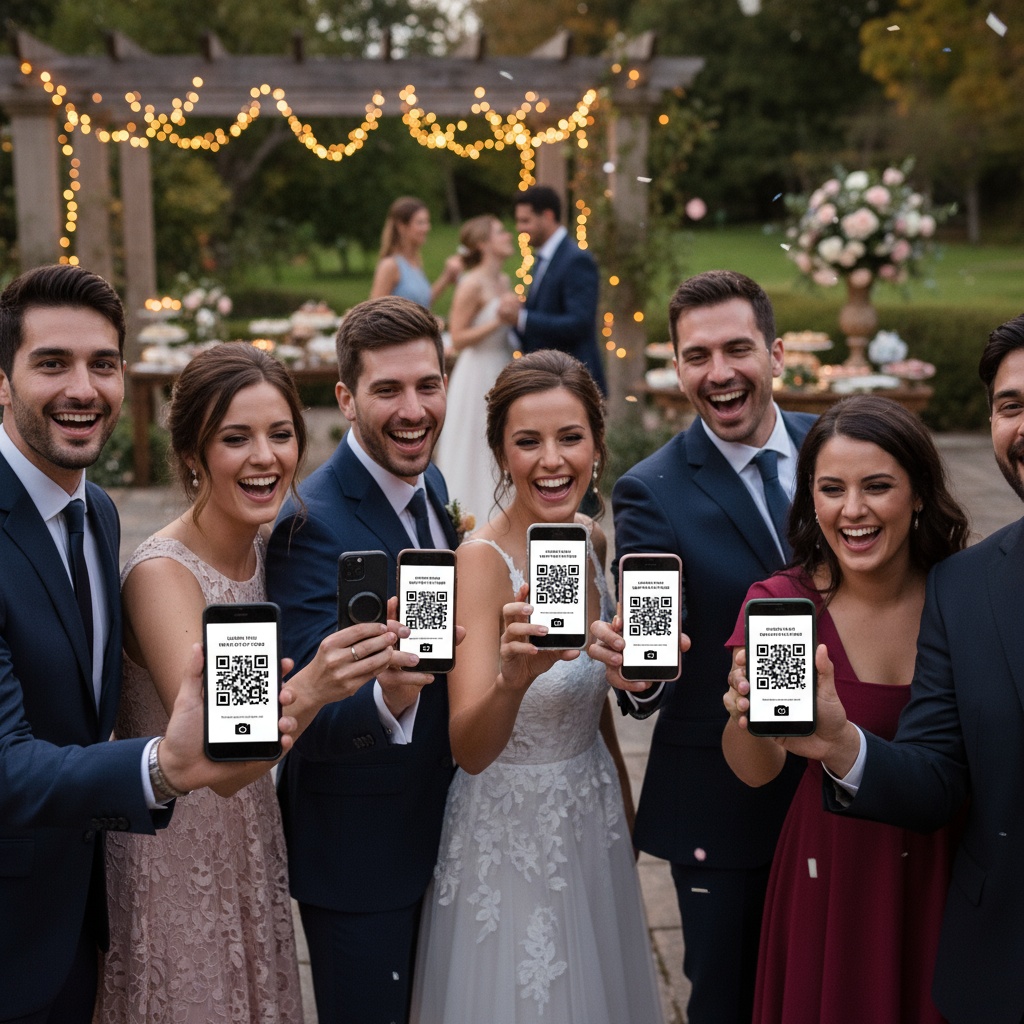
A wedding gallery wall is a live digital display (TV, projector, or LED screen) showing photos uploaded by guests and photographers in real-time during your reception. Guests scan QR codes to upload photos from their phones, and images appear on displays within seconds. Creates continuous entertainment while collecting hundreds of candid moments photographer can't capture alone.
How much does a wedding gallery wall cost to set up?
Platform subscription: $25-$75 for unlimited uploads and live display features. Display rental: $50-$150 for TV or $75-$200 for projector (or use venue's existing screens if available). Total: $75-$275 vs $600-$1,500 for traditional photo booth with far less coverage and interaction. Many couples already own equipment or borrow from family/friends, reducing cost further.
Do I need to hire someone to run the wedding gallery wall?
No technical operator needed. Setup takes 30 minutes: position display, connect device to gallery's display URL, set auto-advance mode. System runs automatically throughout reception. Optionally assign tech-savvy friend as backup for rare connectivity issues. Much simpler than coordinating photo booth attendant or managing traditional display logistics.
Can my wedding photographer upload to the gallery wall during the reception?
Yes! Share gallery login with your photographer. They upload ceremony selections during cocktail hour, cocktail photos during dinner, etc. Professional shots mix with guest candids on display, giving immediate value demonstration and comprehensive coverage. Many photographers now offer this as service enhancement. Learn more about photographer integration.
What size screen do I need for a wedding gallery wall?
For under 100 guests: 55-65" TV sufficient. For 100-200 guests: 65-75" TV or 80-100" projection recommended. For 200+ guests: Consider 75"+ TV or 100-150" projection, or multiple displays in different areas. Size should be readable from 15-20 feet away—where most guests view from during cocktail hour or dinner.
How do I prevent inappropriate photos on my wedding gallery wall?
Enable two-tier moderation: automatic AI filtering screens obvious inappropriate content first, then optionally review photos manually before public display. Guests see uploads in private gallery immediately (not rejected), but only approved photos appear on reception screens. 99% of weddings don't encounter issues—guests naturally self-regulate at celebrations and understand appropriate context.
Can outdoor weddings have gallery walls?
Yes, with proper equipment. LED screens work best in direct sunlight (very bright). Standard TVs work in shaded outdoor areas. Projectors require darkness (evening receptions or covered areas). Consider weather protection (tent/covering) and power source availability. Test setup during rehearsal to verify visibility and connectivity in outdoor conditions.
What happens if the internet goes down during the reception?
Photos already uploaded continue displaying in loop. New uploads queue on guests' phones and automatically upload when connection restores. Have backup mobile hotspot ready (unlimited data plan recommended). Most platforms handle offline resilience gracefully—brief connectivity issues don't break the experience. Test venue WiFi during rehearsal and arrange backup plan if needed.
How do guests know their photos appeared on the gallery wall?
Upload confirmation appears on their phone immediately ("Photo uploaded successfully!"). Most guests naturally glance at displays after uploading to see their photo featured. You can enable notifications (optional) or have DJ/MC announce when certain photos appear. Continuous carousel mode means photos appear within 10-30 seconds depending on upload volume.
Can I keep the gallery wall running for photos after the wedding?
Yes! Gallery continues accepting uploads after the reception—guests add photos they forgot during event or found later on their phones. Set closing date (3 days, 1 week, or indefinite) when you stop accepting new uploads. Display URL can run as long as needed for post-wedding viewing parties, brunch, or anniversary celebrations. Download all photos for permanent archive.
Transforming Wedding Entertainment with Live Gallery Walls
Traditional weddings separate photo collection from entertainment—photographer works invisibly, photos appear weeks later, guests' candid shots scatter across camera rolls never to be seen. Gallery walls unite collection and entertainment into one interactive experience that drives participation, captures every perspective, and creates memories in real-time.
Your guests want to share their photos. Give them a reason to upload immediately by showing their contributions featured prominently. The result: hundreds more memories captured, higher guest engagement, and entertainment that lasts your entire reception.
Gallery wall success formula:
- Strategic display positioning: Visible during cocktail hour and reception
- QR code accessibility: 12-15 locations throughout venue
- Live updates: Photos appear within seconds of upload
- Content moderation: Control what appears publicly
- Photographer integration: Professional shots mix with guest candids
Ready to create your wedding gallery wall? Start your event and generate display URLs and QR codes in minutes. From intimate ceremonies to grand celebrations, live gallery walls that capture everything.
Explore more wedding resources: collecting photos from guests, QR code implementation, and wedding photo apps.
Live wedding gallery walls that transform photo sharing into real-time entertainment. Instant displays, comprehensive coverage, and hundreds of memories captured with Fotify.
Related Pages
Discover how Fotify can transform your events