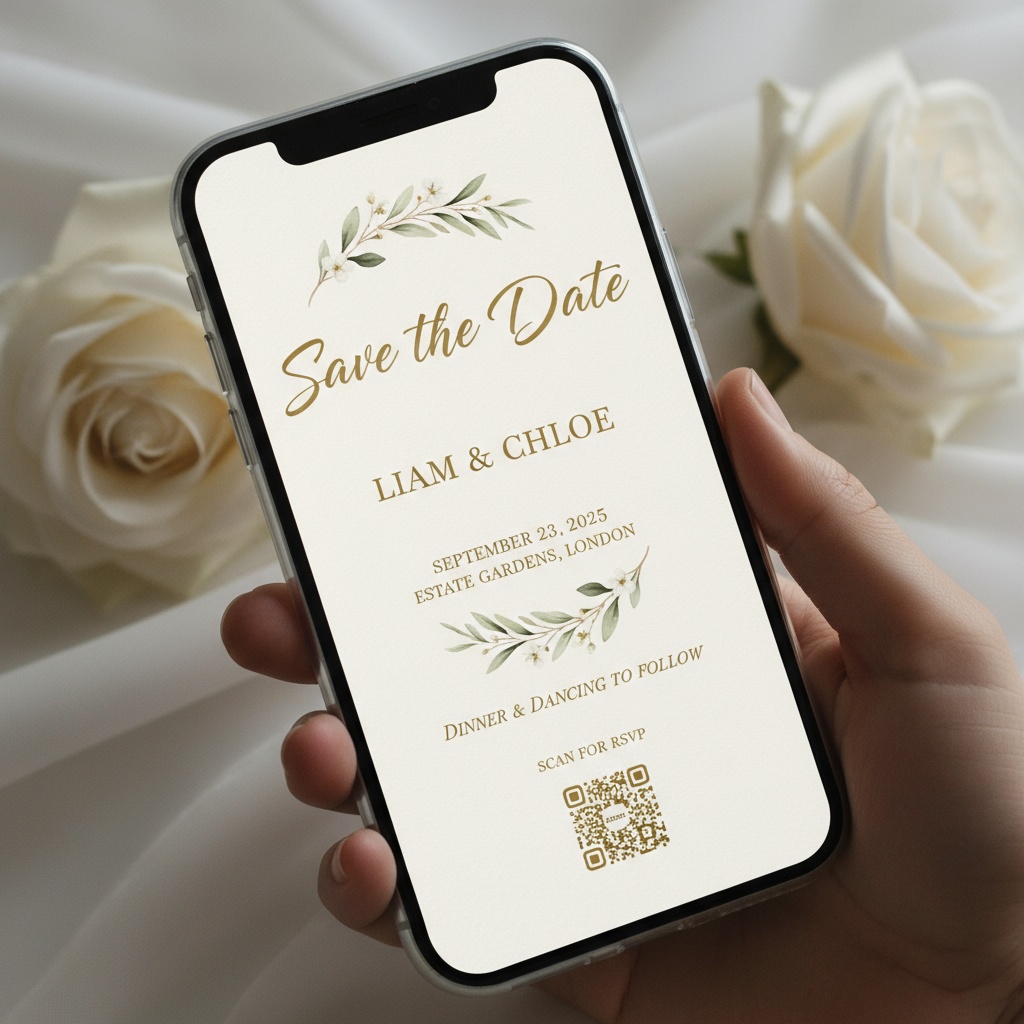
Wedding RSVP tracking with traditional methods means a spreadsheet that is always out of date. Response cards arrive over weeks, some guests reply by text instead, others tell your mother they are coming but never formally confirm, and the plus-one situation remains unclear until the week before. Fotify's digital wedding invitations with RSVP solve this by giving every guest a unique link that collects their response, dietary restrictions, meal preferences, plus-one names, song requests, and any custom questions you add — in one form, submitted in under a minute. Your dashboard updates instantly. Filter by confirmed, declined, or pending. See exactly how many vegetarian meals you need. Export the full list as CSV for your caterer. Send a targeted reminder to the 23 guests who have not responded — without bothering the 150 who already did. The same RSVP data flows directly into your seating chart and QR check-in, so you never re-enter a name or a meal preference into a separate system.
Digital Wedding Invitations with RSVP — From Save the Date to Wedding Day
Create elegant digital wedding invitations with real-time RSVP tracking, dietary preferences, seating management, QR check-in, and live photo sharing. One platform for your entire wedding — no printing costs, no separate tools.
- Wedding-specific invitation templates
- Complete RSVP with meal preferences
- Live photo sharing on your big day
No credit card required • Free to start
We managed our entire wedding digitally — invitations, RSVPs, seating chart, and even a live photo wall at the reception. Our guests loved it and we saved over $1,000 on paper invitations.Sarah & Daniel, 180-guest wedding
Everything Your Wedding Needs in One Platform
From the first save the date to the last photo shared — Fotify handles it all
Elegant Wedding Templates
Choose from 13 customizable wedding invitation templates. Upload your engagement photos, select your wedding colors, add an envelope opening animation, and create an invitation that matches your celebration.
Full Wedding RSVP Management
Collect attendance confirmations, dietary restrictions, meal preferences, plus-one names, and custom questions — all from one RSVP form. Track responses in real time and send reminders to non-responders.
Table & Seating Management
Drag-and-drop seating chart powered by your RSVP data. Assign guests to tables based on who confirmed, party size, and dietary needs. Guests see their table assignment directly in their invitation.
Live Wedding Photo Sharing
Guests scan a QR code to upload photos throughout your wedding. Photos appear on any screen in real time — creating a live photo wall at the reception. Collect every moment from every perspective.
QR Wedding Check-In
Staff scan guest QR codes at the venue entrance to verify attendance and party size. See who has arrived in real time. No separate check-in app needed — it is built into the same invitation link.
DJ Song Requests
Guests request songs through the same event link they use for RSVP. The DJ sees requests in real time. No separate song request app, no QR code confusion — one link for everything.
How It Works
Plan your wedding in one platform
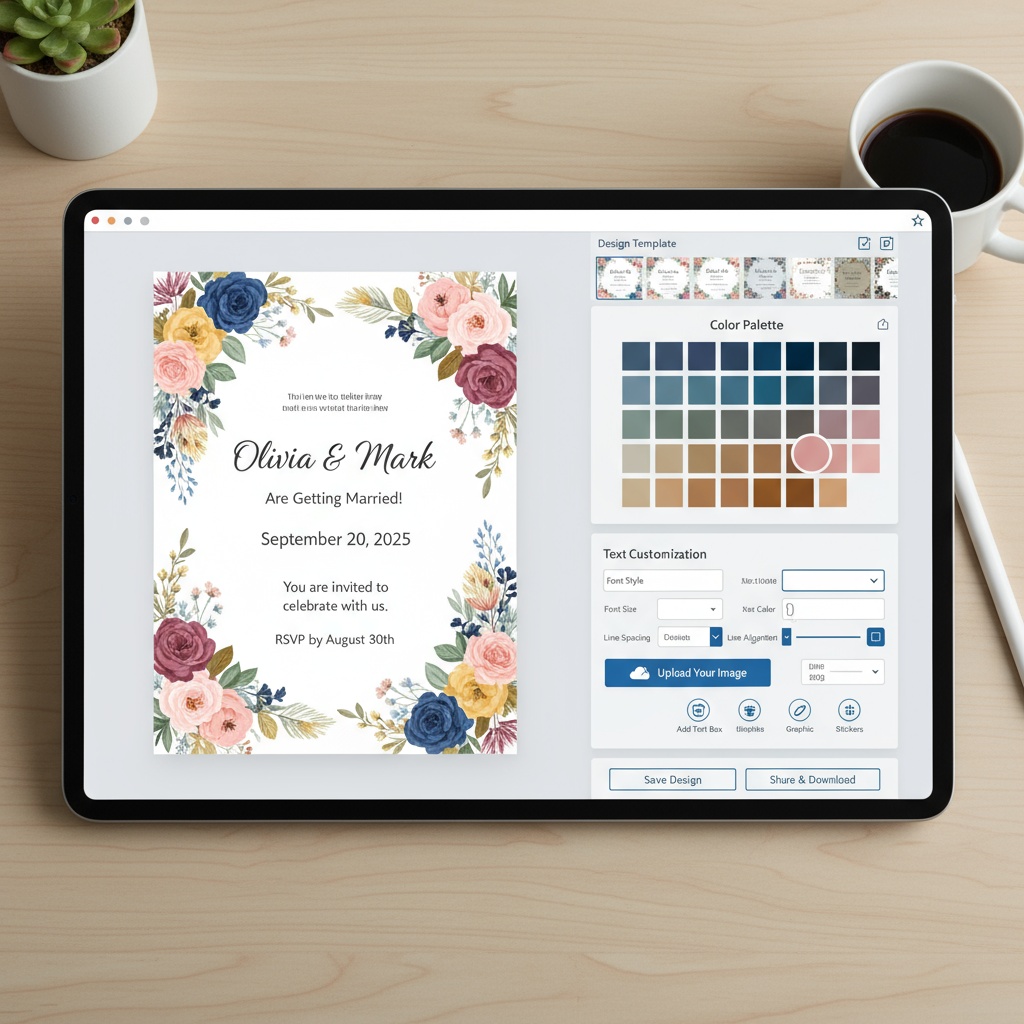
Design Your Wedding Invitation
Choose a template, upload your photos, pick your wedding colors, and customize every detail. Add an envelope opening animation for a premium feel. Preview exactly what guests will see.

Send Save the Dates & Invitations
Send save-the-date emails first, then follow up with formal invitations when ready. Share via email (17 languages, 8 themes), SMS (100+ countries), or WhatsApp. Track delivery, opens, and clicks.

Manage RSVPs, Seating & Event Day
Track responses in real time. Assign tables with drag-and-drop. On your wedding day, check guests in with QR codes, share photos live, and let guests request songs. One platform, one guest list.
Fotify vs Wedding Invitation Platforms
See what Fotify includes that others do not
| Feature | Fotify | Paperless Post | Joy | Zola |
|---|---|---|---|---|
| RSVP tracking with custom questions | ||||
| Dietary preferences & meal selection | ||||
| Table & seating management | ||||
| QR code check-in at venue | ||||
| Live photo sharing during wedding | ||||
| DJ song requests | ||||
| SMS invitations (100+ countries) | ||||
| Multi-day wedding itinerary | ||||
| Guest self-registration link |
Digital Wedding Invitations with RSVP — One Platform for Your Entire Wedding
Planning a wedding means coordinating invitations, RSVPs, seating charts, vendor lists, check-in logistics, and guest entertainment. Most couples use 4–6 separate tools to handle all of this. Fotify replaces them with one platform: send digital wedding invitations with RSVP tracking, manage table assignments using guest response data, verify attendance with QR codes at the door, display guest photos live at the reception, and let guests request songs — all from the same link, the same dashboard, and the same guest list. Whether you are planning an intimate 30-person ceremony or a 500-guest destination wedding, the workflow is the same: design your invitation, send it, and manage everything that follows.
- Elegant digital wedding invitations with 13 customizable templates and envelope animations
- Full RSVP management — dietary restrictions, meal preferences, plus-ones, custom questions
- Drag-and-drop seating chart that uses RSVP data for table assignments
- Live photo sharing, QR check-in, and DJ song requests on your wedding day
Digital Save the Dates to Wedding Day — The Full Journey
Most digital wedding invitation platforms handle one step: the invitation. Fotify handles the entire journey. Send digital save the dates 8–12 months before the wedding using the dedicated email template — it includes your event details and a preview of the invitation page, without the RSVP form. When you are ready, switch to the formal invitation template with RSVP enabled. Guests who received the save the date already know the event; the follow-up adds the response form. As RSVPs come in, build your seating chart with drag-and-drop table management. One week before the wedding, finalize the layout and export it for the venue. On the wedding day, staff use QR check-in to verify attendance at the door. Guests upload photos via QR code throughout the celebration, displayed on a live screen at the reception. And the DJ takes song requests through the same guest link. From the first announcement to the last dance, it is one platform, one guest list, and one dashboard.
Live Wedding Photo Sharing — Every Guest, Every Moment
Your photographer captures the ceremony and formal portraits. But the candid moments — the dance floor, the speeches, the flower girl chasing the ring bearer — are on your guests' phones. Fotify's live photo sharing collects them all in one place. Set up a QR code at the reception (on table cards, a sign near the entrance, or projected on a screen). Guests scan it with their phone camera and upload photos instantly — no app download required. Photos appear on any connected screen in real time, creating a live photo wall that becomes a centerpiece of the reception. After the wedding, share the gallery link with all guests so everyone gets access to every photo. AI content moderation filters inappropriate uploads automatically. The result: a complete collection of wedding photos from every perspective, not just the photographer's. Combined with digital wedding invitations and RSVP tracking in the same platform, it means guests interact with one single link from invitation day to wedding day.
Choose Your Perfect Plan
Start creating unforgettable events with our flexible pricing options
100% Money Back Guarantee
Try Fotify risk-free. If you're not completely satisfied with your event, we'll refund your purchase. No questions asked.
View our refund policy →Event Professional? Join Our Partner Program
Get 50% off every event with our Partner Plan. Perfect for photographers, venues, and event planners who create multiple events per month.
Frequently Asked Questions
Everything you need to know about digital wedding invitations
Are digital wedding invitations appropriate for formal weddings?
Can I collect meal preferences and dietary restrictions through the RSVP?
How does the seating chart work with RSVPs?
Can I send digital save the dates before the formal invitation?
How do guests share photos during the wedding?
What about guests who do not have smartphones?
Can I use Fotify for a destination wedding with international guests?
How much do digital wedding invitations cost compared to paper?
Can I have both a digital and paper invitation?
What happens to guest photos after the wedding?
Start Planning Your Wedding Today
Join couples who simplified their wedding planning with one platform for everything
Create Your Wedding EventNo credit card required