The Easiest Way to Share Photos with a Group
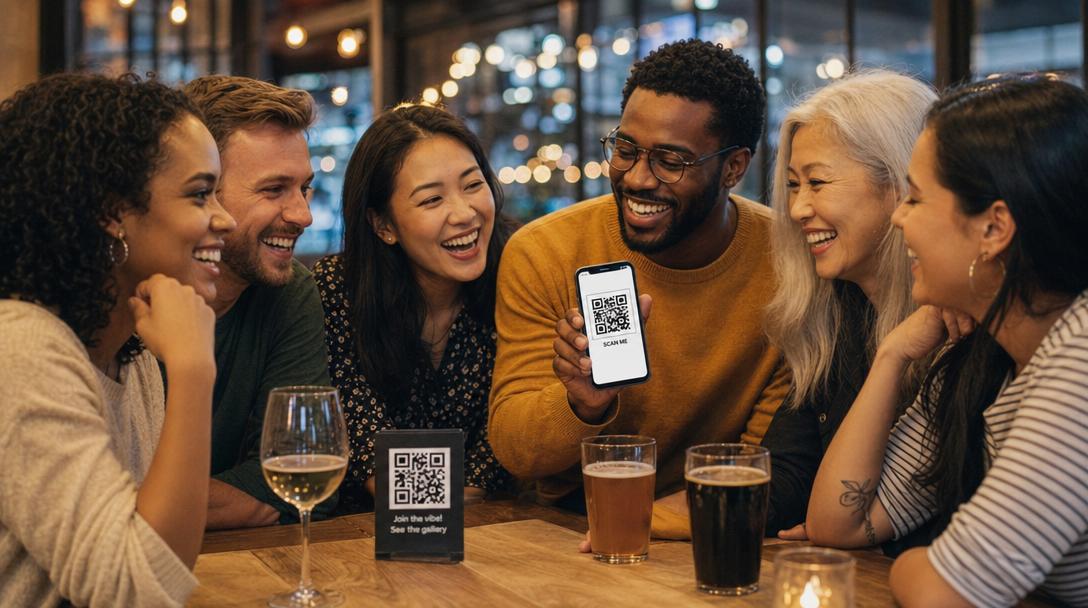
One QR code. Every group member uploads from their phone. All photos in one private gallery — works on iPhone, Android, and across countries. No app downloads, no group chats to wrangle, no AirDrop friction.
- ✓ Works on iOS, Android, and any browser
- ✓ No app downloads — guests scan and upload
- ✓ Photos stay original quality (no compression)
Free to start • No signup for guests • Original photo quality
30%
Average upload rate when groups try to share photos via WhatsApp or text — most photos never get shared at all.
Why Group Photo Sharing Always Breaks Down
Every group has the same problem. Someone makes a WhatsApp group, the photos pour in, and the next day they're buried under chitchat. Half the group is on iPhone, half on Android — AirDrop doesn't work cross-platform. Cloud albums require everyone to use the same ecosystem. The result: a fraction of photos actually shared, scattered across 10 places. A dedicated group photo sharing app fixes that — one private gallery, every member contributes, every photo at original quality, downloadable as one zip.
Why Groups Choose Fotify
Built for the chaos of getting photos from many people at once
Cross-Platform — iOS + Android + Web
Every group member uploads through their browser, no matter what phone they have. No AirDrop limitations, no Apple-only iCloud albums, no WhatsApp compression.
One QR Code for Everyone
Scan once, upload all night (or all trip). No accounts to create, no app store visits, no friction. Even your less tech-savvy group members can use it.
Original Photo Quality
Group chats compress photos to phone-screen quality. Fotify keeps every photo at original resolution — perfect for printing, photo books, or post-event keepsakes.
Private to Your Group
Only people with your QR code can view or upload. No public album, no surprise viewers. You control who sees the gallery.
One-Click Batch Download
After the event, download every photo as a single zip file. No more scrolling through chats and saving photos one by one.
Works Internationally
Browser-based means it works in any country. Group abroad? International trip? Mixed-nationality group? Doesn't matter — same scan-and-upload flow.
Built for Every Kind of Group
Wherever you need photos from many people
Family Reunions
Multi-generational gatherings with grandparents, cousins, and kids — everyone contributes regardless of phone or tech-comfort level.
Friend Trips
Group vacations where 8 friends are on different platforms. One QR replaces 50 AirDrop attempts.
Vacation photo sharing →Sports Teams
Capture every game, every team photo, every away trip — collected from coaches, parents, and players in one shared gallery.
Class & School Reunions
10-year reunions or end-of-year class events. Everyone uploads, everyone gets the album.
Work Team Events
Off-sites, team building events, end-of-quarter celebrations — collect photos for internal newsletters and culture content.
Corporate event photos →Fitness & Hobby Groups
Race day, hiking trips, cycling tours, book clubs — capture the group dynamic from every member's perspective.
How It Works
Set up your group gallery in 2 minutes
1. Create your group event
Set up a Fotify event — your group's name, date, and privacy settings. You'll get a unique gallery link instantly.
2. Share your QR code
Send the QR via WhatsApp, text, or email — or use our [free QR generator](/tools/qr-generator) to design a printable card. Everyone in the group scans the same code.
3. Everyone uploads
Group members scan, select photos from their camera roll, and upload. Works the same on every phone — no platform-specific friction.
4. Download the whole album
After the event, batch-download every photo as a zip. Print, share with absent members, or upload to a photo book service.
Group Photo Sharing: How Fotify Compares
Why Fotify beats every other group sharing method
| Method | Upload rate | Quality | Platforms | Verdict |
|---|---|---|---|---|
| Fotify | 85-95% of group participates | Original | iOS, Android, any browser | Highest participation, no platform issues |
| WhatsApp / iMessage group | 30-40% (only same-platform users) | Heavily compressed | iMessage = iOS only; WhatsApp limited | Quality lost, photos buried in chat |
| AirDrop | iOS users only | Original | iOS only | Excludes Android entirely |
| iCloud Shared Album | iOS users only | Compressed | iOS only (Android can view via link) | Limited cross-platform, requires iCloud account |
| Google Photos shared album | 30-50% (link gets forgotten) | Compressed by default | iOS + Android | Better than nothing, but link discoverability is poor |
Group Photo Sharing FAQs
What's the best way to share photos with a group?
+
Do group members need to download an app?
+
Can I share with friends on different phones?
+
How is this better than a WhatsApp or iMessage group chat?
+
Can I download all the group's photos at once?
+
Is there a limit on how many people can upload?
+
Is the gallery private?
+
Does it work for international groups?
+
Ready to Stop Chasing Photos?
Set up your group gallery in 2 minutes. Free to start, no credit card, no signup required from your group.
Or generate a custom QR code firstRelated Resources
Vacation Photo Sharing
Group trip photos in one place — no AirDrop, no WhatsApp compression.
Free QR Code Generator
Design a custom QR for your group with logo and colors.
Event Photo Sharing
The full Fotify product for events of any size.
Party Photo App
Live photo wall and QR uploads for parties and birthdays.