By Fotify
Corporate Event Networking 2026: The Organizer's Playbook
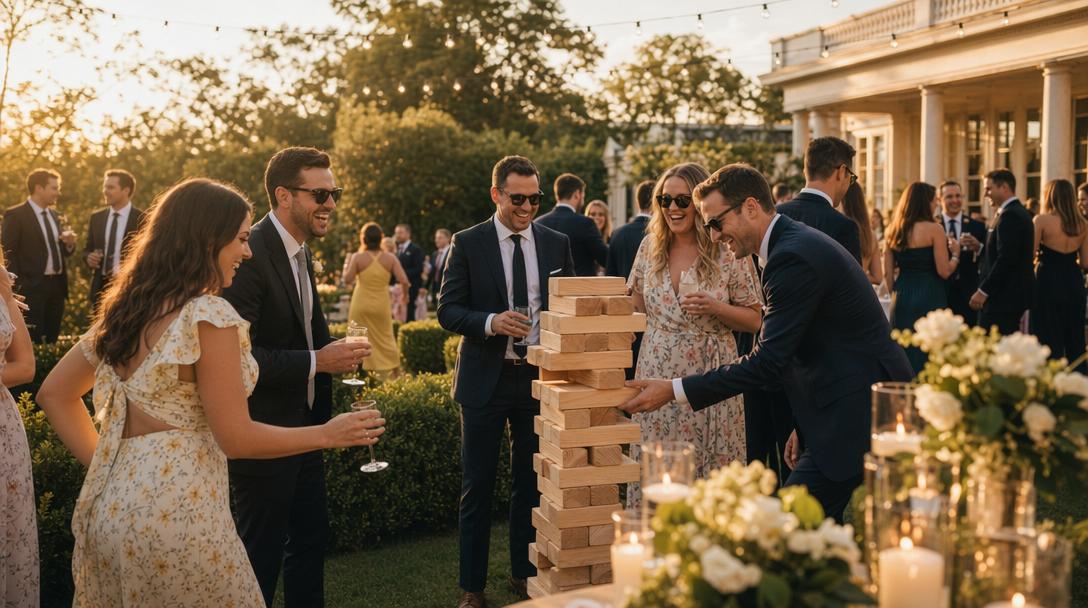
Every corporate event organizer has seen the same pattern. Attendees arrive excited about the content, sit through the keynote, grab coffee during the break, and then stand awkwardly around the bar during "networking hour" waiting for someone else to make the first move. Half the room leaves without meeting anyone they did not already know.
The problem is not that attendees do not want to network. It is that the default corporate event networking format — open mingling at a bar — systematically favors extroverts and penalizes the introverts who came specifically because they wanted structured ways to meet people.
This is the 2026 playbook for fixing corporate event networking at any scale. It covers format options, the tech stack, pre-event promotion, day-of execution, and the exact benchmarks we use to measure whether networking at a corporate event actually worked.
Why Corporate Event Networking Matters
Content can be streamed. Speakers can be recorded. The one thing attendees cannot get remotely is face-to-face networking — and it is the single biggest reason they keep paying for in-person conferences.
For organizers, networking quality is directly correlated with:
- Attendee satisfaction scores — events with strong networking score 20–40% higher on post-event surveys
- Repeat attendance — attendees who make 3+ new connections at an event are 2.5x more likely to return
- Sponsor ROI — networking-heavy events produce more sponsor leads and higher renewal rates
- Word-of-mouth marketing — nobody posts on LinkedIn about a great keynote; everyone posts about a great connection they made
Corporate event networking is not a nice-to-have. It is the primary product most conferences are selling, whether they know it or not.
The Six Types of Corporate Event Networking
Different event types require different networking formats. Pick the one that matches your agenda.
1. Conference Open Networking (Breaks Between Sessions)
Standard 15–45 minute gaps between sessions. Coffee, pastries, standing around. Works if you have networked at enough events to have cold-approach muscle memory. Does not work for introverts, first-timers, or anyone who joined the conference to meet specific types of people.
2. Structured Speed Networking (Dedicated Session)
A 45–90 minute structured session where attendees rotate through short conversations with a guaranteed set of people. Works for groups of 40–500. The gold standard for conferences that want measurable networking outcomes.
Full template: speed networking complete playbook.
3. Attendee Matchmaking (App-Based, Continuous)
An event matchmaking app runs throughout the conference. Attendees build profiles, swipe through other attendees, and exchange contact info on mutual match. Works at any scale (40 to 10,000 attendees) and complements every other format.
4. Hosted Meetups (Topic-Based Breakouts)
Attendees self-select into small (10–25 person) breakout groups based on topic. Works great as a lunch-hour activity or between keynote blocks. Generates deeper conversations than open networking.
5. Investor/Founder or Mentor/Mentee Matchmaking
Curated networking for specific pairings. Investors get matched with founders, mentors with mentees, hiring managers with candidates. Usually requires 1:1 meeting scheduling — this is where enterprise tools like Brella and Swapcard earn their price tag.
6. Offsite / Team-Building Networking
Cross-department connections at company offsites and retreats. The real goal of most corporate offsites even when it is not explicitly stated.
The Tech Stack
Enterprise Event Matchmaking Platforms
Brella, Swapcard, Grip, b2match are the household names. They offer AI-powered attendee matchmaking, meeting scheduling, built-in video calls, sponsor matchmaking, and deep analytics. Typical pricing: $5,000–$25,000+ per event, with annual contracts common.
These are the right tools if you are running a large B2B conference (2,000+ attendees) with substantial sponsorship inventory and paid meeting slots. They are overkill for almost everything else.
Per-Event Event Matchmaking Apps
Fotify Match & Connect is the most popular per-event alternative. $19.99 per event flat, no subscription, no app download for attendees. Delivers the 20% of enterprise features that matter to 80% of events: attendee swipe-matching, mutual-interest LinkedIn reveal, smart filters, invite-only mode with CSV import, and real-time organizer metrics.
This is the right tool for mid-sized conferences, recurring industry mixers, user groups, corporate offsites, and any event where enterprise matchmaking is priced out of reach.
Full comparison: best event networking apps 2026 and Match & Connect for Corporate Events.
Conference Apps with Networking Built-In
Whova, Eventee, Guidebook bundle networking into a broader conference-app package (agenda, speakers, polls, networking). Networking is typically a searchable attendee directory rather than a matchmaking engine.
Works if you need a full conference app and networking is a secondary priority. If networking is the primary goal, use a dedicated matchmaking app instead.
Specialized Speed Networking Software
SpeedMatchApp is the dedicated speed networking tool. Monthly subscription ($100–$200) with Eventbrite integration. Best for organizers running speed networking events as a recurring series. Not needed if you are running speed networking as a one-off segment inside a conference.
The Pre-Event Promotion Playbook
A networking session only works if attendees arrive with profiles built. Treat pre-event promotion as the primary driver of networking success.
4 Weeks Before
Set up the event matchmaking app. Create a custom short URL. Turn on invite-only mode and upload your registration CSV.
3 Weeks Before
Email all registered attendees with the matchmaking app link. Use this template:
Subject: Build your [Conference Name] networking profile
You're registered for [Conference Name] — here's the single highest-ROI 2 minutes of pre-event work you can do.
We're running attendee matchmaking throughout the event. Attendees build a quick profile, swipe through other attendees, and LinkedIn is exchanged on mutual match. No app download — runs in your browser.
Build your profile in 60 seconds: [link]
We'll open matching 1 week before the conference so you can start finding people to meet. See you there.
2 Weeks Before
Send a reminder to attendees who haven't built a profile. Include a counter ("X% of attendees have their profiles ready — join them before matching opens next week").
1 Week Before
Open matching. Send the go-live email. Share a LinkedIn post from the event account with a screenshot of the app.
3 Days Before
Final reminder. Focus on attendees who built a profile but haven't swiped yet.
Day Before
Reminder text (for events that collected phone numbers) with the QR code and the venue reminder.
Day-Of Execution
The Opening Keynote
30 seconds of announcement during the opening keynote. Something like:
"We've set up attendee matchmaking for this conference. Your profile is already live if you built one; if you haven't, scan the QR code on every table to build one in 60 seconds. You'll see matches throughout the conference as you meet people — check your phone during breaks. This is the single best networking investment of the two days."
Throughout the Conference
QR codes displayed at:
- Every table in session rooms
- Every coffee station
- The registration desk
- The main networking / mingling area
Reminder in each session wrap: "check your matches during the break". Announcements at the start of each networking segment.
Dedicated Networking Sessions
Run a 90-minute structured speed networking session on day one (full template: speed networking playbook). This does three things:
- Guarantees everyone who wants structured networking gets it
- Produces the bulk of matches for the event
- Creates the "I met [X] at the networking session" conversation thread that carries through the rest of the conference
Closing
Announce the final engagement metrics during the closing keynote. "We had X profiles built, Y matches made, and Z% of attendees participated in speed networking." This is both a value anchor and a reason to return next year.
Benchmarks: Is Your Networking Working?
Use these 2026 benchmarks to evaluate your event:
| Metric | Target (Mid-Sized Conference) | How to Measure |
|---|---|---|
| Profile creation rate | 60–75% of registered attendees | App dashboard |
| Matches per attendee | 3–8 | App dashboard |
| Engagement rate | 50%+ swipe activity within 48 hours | App dashboard |
| Speed networking attendance | 40–60% of total attendees | Session sign-up or check-in |
| Post-event "made a valuable connection" survey | 70%+ | Post-event survey |
| LinkedIn post-event connections from attendees | 2–5 per attendee | Ask attendees in the post-event survey |
Events with enterprise matchmaking (Brella, Swapcard) and events with per-event matchmaking (Match & Connect) hit roughly the same engagement metrics when executed well — the bottleneck is pre-event promotion and day-of execution, not the tool itself.
Events that hit <40% profile creation almost always fix it by doing more pre-event email. Events that hit >70% almost always do 3+ pre-event emails with increasing urgency.
Common Mistakes
1. Expecting networking to "just happen"
Open networking at a bar is not a networking strategy. Every corporate event needs at least one structured networking format (speed networking, matchmaking app, or hosted meetups) to get real networking outcomes.
2. Paying for enterprise software at a mid-sized event
If you have 500 attendees and no paid meeting slots, you are overpaying by a factor of 50x for enterprise matchmaking. Use a per-event tool instead.
3. Requiring an app download
Between 30% and 60% of attendees never download a conference app. Using a browser-based matchmaking app (like Match & Connect) typically doubles engagement.
4. Launching matchmaking during the event
Attendees need 2–3 days of pre-event matching activity before the event starts. Events that turn on matchmaking during the opening keynote miss the entire "I want to meet X at this conference" pre-event dynamic.
5. No dedicated networking session
Unstructured "networking breaks" produce 1/10th the connections of a structured 60-minute session. Always include at least one dedicated networking block in the agenda.
6. No post-event follow-up
The value is in the follow-up. Ship a post-event email 24–48 hours after the event that reminds attendees of their matches and includes LinkedIn deep links.
Networking at Different Event Types
User Group Conferences
These are made for attendee matchmaking. Attendees self-select into the community and share interests by definition — filters are almost unnecessary. Use Match & Connect with a custom short URL, open it 2 weeks pre-event, and run one 90-minute speed networking session.
Industry Mixers (Recurring)
Monthly or quarterly mixers benefit enormously from per-event pricing. Run Match & Connect at every mixer for $19.99 each. Regular attendees build up a history of matches over time.
Corporate Offsites
Offsites are about cross-department connections. Turn on matchmaking the night before the offsite starts, with employees' business profiles pre-filled. Run a 45-minute speed networking session on morning one with filters by department or project interest. The rest of the offsite rides on those connections.
Investor / Founder Events
These need 1:1 meeting scheduling, not just matchmaking. For high-volume investor-founder events, Brella and Swapcard are still the standard. For smaller events (under 200 people), Match & Connect with LinkedIn reveal gets you 80% of the way there at 2% of the price.
Alumni Events
Alumni networking events are ideal for matchmaking apps. Pre-fill "graduation year" and "current role" as profile fields, and let alumni filter by class or industry. Match & Connect's tag-based filtering handles this natively.
Trade Shows
Large trade shows (2,000+ attendees) with full sponsor matchmaking remain the domain of enterprise tools. Smaller regional trade shows can run Match & Connect effectively for attendee-to-attendee networking, with a separate sponsor-meeting system.
How to Choose Between Match & Connect and Enterprise Tools
The decision tree we recommend:
Running an event with 2,000+ attendees, paid sponsor meeting slots, or a required booking engine? → Brella, Swapcard, or Grip.
Running a recurring speed networking series (monthly+)? → SpeedMatchApp, or Match & Connect if you want to avoid the subscription.
Running anything else — user group conferences, industry mixers, mid-sized summits, corporate offsites, alumni events, networking happy hours, or regional conferences? → Fotify Match & Connect. Per-event pricing, no app download, live in minutes.
Getting Started
If networking quality is a priority for your next corporate event, the playbook is simple:
- Pick an event matchmaking app — Match & Connect for most mid-sized events, Brella/Swapcard for enterprise
- Launch it 2–3 weeks before the event with clear pre-event emails
- Include at least one dedicated 45–90 minute networking session in the agenda
- Measure outcomes using the benchmarks above
For deeper dives on specific formats:
- Speed Networking: The Complete 2026 Playbook
- Best Event Networking Apps 2026
- Event Speed Dating: How to Host One in 2026
- Match & Connect for Corporate Events
Pricing may vary depending on your country and currency. See the latest pricing on the pricing page.
Related Pages
Discover how Fotify can transform your events