Free When2meet Alternative: How to Find a Time That Works for Everyone (2026)
Every group plan starts the same way. Someone asks "when is everyone free?", and the group chat turns into forty messages of "Tuesday works for me", "not Tuesday", "what about after 7?". By the time a date wins, two people have muted the chat.
An availability poll fixes that. You offer a few days and a range of hours, everyone marks the times they're free on one shared grid, and the overlap shows you the answer. That's the idea behind When2meet, the grid tool many teams and student groups have used for years.
We built a free version that keeps what works about that grid and adds what people usually miss: Fotify's group availability poll. This guide shows how it works, how to run a poll that people actually answer, and how to go from "we found a date" to an event everyone remembers.
What makes a good When2meet alternative
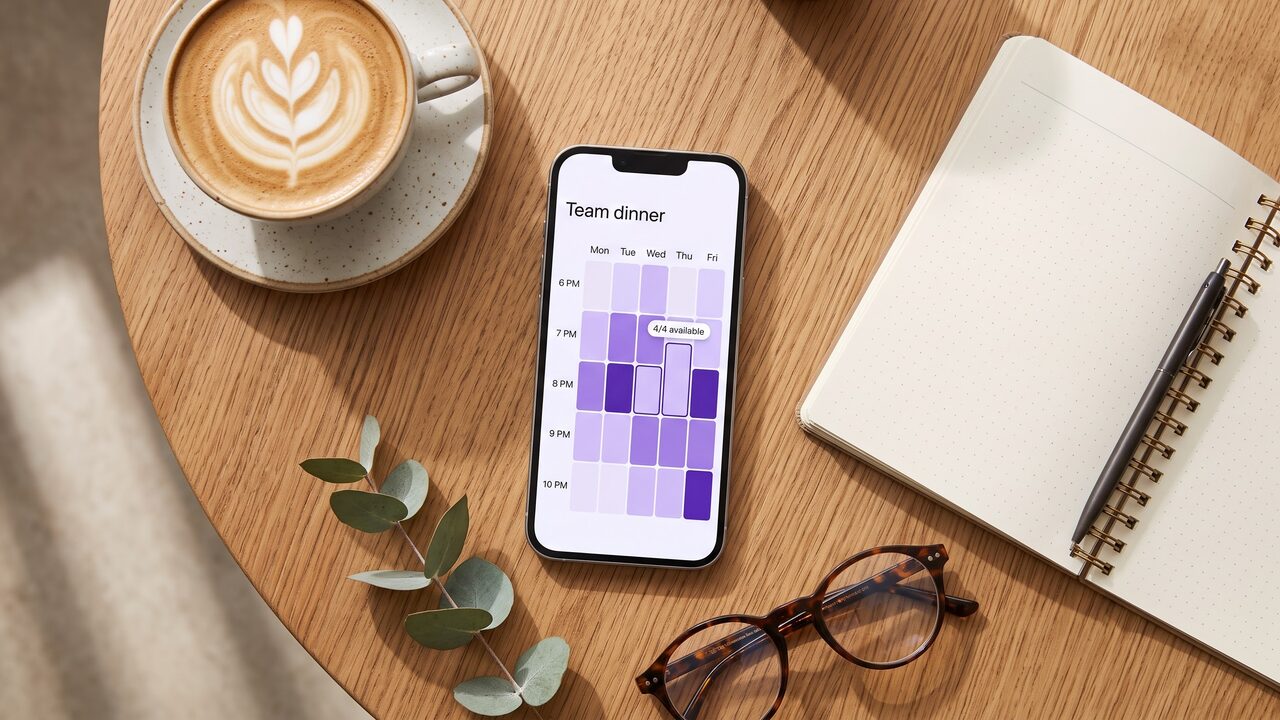
The grid itself is a great idea: days across, hours down, and the cells get darker where more people are free. What decides whether a tool works for your group is everything around it:
- It works on a phone. Most people open the link from a group chat, on their phone. Grid tools built for a mouse are hard to use with a finger: the page scrolls when you try to paint, or the cells are too small to tap.
- Nobody needs an account. Every sign-up step loses people. A name should be enough.
- "Maybe" is an answer. Real availability isn't yes or no. "I could do Thursday if I move my gym class" is useful information.
- It tells you the answer. A heatmap is nice, but you want a list: the best times, who can come, and who can't.
- Time zones just work. If one friend is in New York and another in Madrid, each should see the times in their own clock.
- It closes the loop. Once a time is chosen, everyone should be able to add it to their calendar in one tap.
What Fotify's free availability poll does
| Feature | What it means for your group |
|---|---|
| Paint with your finger | Drag across the grid to mark a whole evening at once, on any phone or with a mouse. |
| "Available" and "If needed" | Two kinds of yes. The ranking counts an "if needed" as half a vote. |
| Best times, ranked | The top time slots with who's free, who's "if needed" and who's missing. |
| Every time zone | Each person sees the grid in their own time zone, with the organizer's one a tap away. Daylight-saving changes are handled for you. |
| Pick the final time | The organizer marks the winning slot, and everyone gets Google Calendar and Apple/Outlook (.ics) links. |
| Optional password | A name is enough. Add a password if you want to stop anyone else from editing your answer. |
| Specific dates or days of the week | Plan a one-off dinner on given dates, or a weekly practice on weekdays. |
| Leave someone out of the count | Tap a name to hide an optional person from the group view and see who's free without them. |
| Free, no sign-up | No account for the organizer or the participants, no app to install. |
It updates as people answer, so you can keep the page open and watch the grid fill in.
How to find a time that works for everyone, step by step
1. Create the poll
Open the group availability poll and give your plan a name people will recognize in a chat: "Team dinner before the holidays" beats "Meeting".
Then choose what to offer:
- Specific dates for a one-off plan. Tap the days on the calendar, or drag across several at once. Up to 31 dates.
- Days of the week for something recurring, like a weekly study group or a five-a-side game.
Set the hours ("no earlier than" and "no later than") and the slot length: 15, 30 or 60 minutes. For a dinner or a party, 30 or 60 minutes is plenty. For a work meeting, 15 or 30.
2. Share one link
You get a link like fotify.app/meet/... to send by WhatsApp, email or any chat. Paste it with a short note and a deadline: "Add your times by Friday so I can book the table."
You also get an organizer link. Keep it to yourself: it lets you pick the final time or manage the poll from another device.
3. Everyone paints their free times
Each person types their name and paints the grid. Tap or drag over the times you're free; switch to "If needed" to mark the times you could make in a pinch; tap a painted slot again to clear it. Answers save automatically.
4. Read the best times
The Best times list ranks the slots by how many people can make it. Each one shows who's free, who's "if needed" and who can't come, so you can make the call without decoding a heatmap. Hover or tap any cell in the group grid to see exactly who's free at that time.
5. Pick the final time and add it to calendars
As the organizer, press Pick this time on the winner. The poll page then shows the final time to everyone, with buttons to add it to Google Calendar or download an .ics file for Apple Calendar and Outlook.
Tips to get answers from everyone
- Offer fewer options. Five dates with four-hour windows get more answers than three weeks of full days. People give up on huge grids.
- Set a deadline in the message. "By Friday" works better than "when you can".
- Answer first. Paint your own availability before you share the link. An empty grid looks like work; a started one looks like momentum.
- Use "if needed" generously. It turns a "no" into a "maybe" and often reveals the slot that works for everyone.
- Leave optional people out of the count. If someone is a nice-to-have, tap their name to see the best times for the core group.
- Mind the time zones. For a group across countries, write the times in the zone where the event happens; everyone else sees them converted.
What to use it for
A group availability poll fits any plan where more than three people have to agree on a time:
- Work: team meetings, one-on-ones with several candidates, offsites, and holiday parties. Our corporate event ideas can help with what to do once the date is set.
- Friends: dinners, birthdays, game nights, trips and bachelor or bachelorette weekends.
- Family: reunions, holiday gatherings and visits across time zones.
- Clubs and classes: study groups, rehearsals, sports practice and volunteer shifts, with days of the week instead of dates.
- Wedding planning: calls with the planner, vendor tastings and fittings with the wedding party.

After the date: invitations and photos
Finding the time is step one. For anything bigger than a quick meeting, the next steps are usually the same: send the invitation, know who's coming, and get everyone's photos afterwards.
- Send the invitation with RSVP. Fotify's digital invitations let you design an invitation, share one link and track who's coming. If you're comparing options, see our list of the best free online invitations with RSVP and the best RSVP apps for events.
- Collect everyone's photos in one album. With Fotify event photo sharing, guests scan a QR code and upload the photos they take to one shared album, with no app and no sign-up. Here's how QR code photo sharing works at events.
When you plan a bigger event, the Fotify event planning app keeps the rest in one place too. See what each plan includes on the pricing page.
Frequently asked questions
Is this When2meet alternative really free?
Yes. Creating polls, answering, and picking a final time are all free, with no account and no limit on how many polls you create.
Do participants need an account or an app?
No. They open the link, type their name and paint their free times. An optional password stops anyone else from editing their answer.
Can I use it on my phone?
Yes. It was designed for phones first: you paint the grid by dragging your finger, and the grid and the group view sit on two tabs so each one has the full screen.
How do time zones work?
The organizer writes the times in their own time zone. Everyone else sees the grid converted to the time zone their device is in, and can switch back to the organizer's at any time.
How do I change my answer?
On the same device, open the link again: you're still signed in. On another device, enter the same name (and your password, if you set one).
How long are polls kept?
A poll stays available as long as people use it. Polls with no activity for 120 days are deleted automatically, together with their answers, and the organizer can delete a poll at any time.
Find your time now
Stop scrolling through the group chat. Create a free group availability poll, share the link, and let the best time find itself.