Company holiday party invitations

Company Holiday Party Invitations Your Team Actually Answers

Send a branded digital invitation with RSVP tracking, plus-ones and meal questions, then collect every photo from the party on a live photo wall. Guests open it in their browser, with no app and no account.

  • RSVP with plus-ones, meal preferences and custom questions
  • Your logo and colours on the invitation
  • One QR code for photos at the party, shown live on screen

Free to start. Nothing for your team to install.

Colleagues applauding a toast at a company celebration dinner
A digital invitation open on a guest's phone

What you get

Everything the office party needs, in one invitation

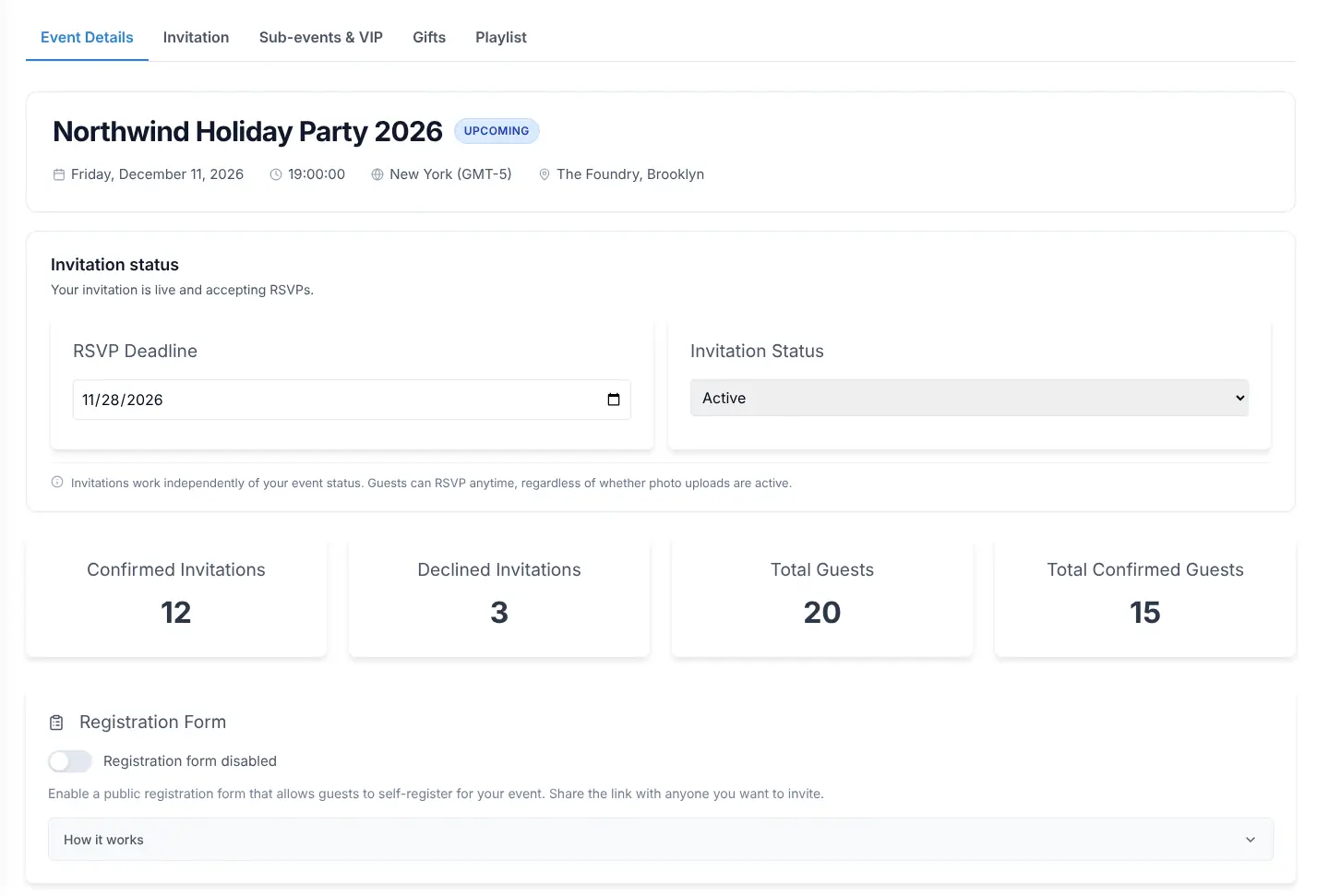
The invitation, the RSVPs, the reminders, the photos and the door, all from one event in your dashboard.

A branded invitation, not a calendar blast

Pick a design built for company events, set your colours, put your logo on the envelope stamp and add the agenda, dress code and directions guests always ask about. Guests can save the party to Google, Apple or Outlook calendar in one click.

  • Designs made for company parties, galas and launches
  • Your logo on the stamp, your colours throughout
  • Dress code, itinerary and venue directions built in
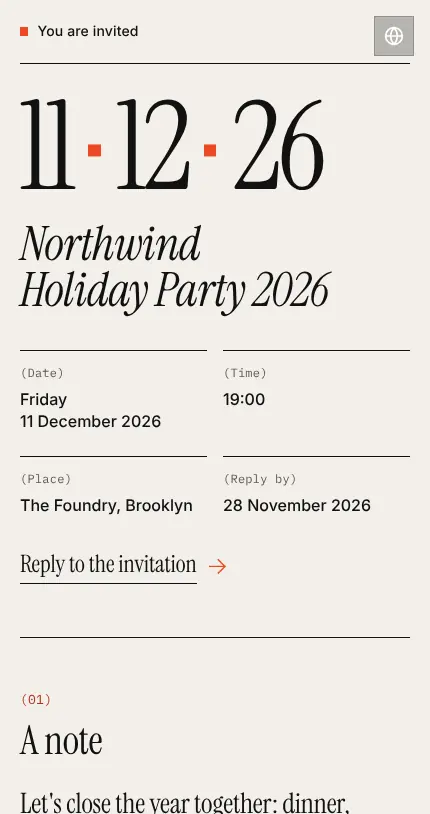
A digital invitation open on a guest's phone

RSVPs with plus-ones and the questions you need answered

Guests answer in their browser with no account. Ask about plus-ones, meal preference, allergies or transport with custom questions, and show a follow-up only when an answer needs it, such as a detail field for special diets. Every answer lands in one guest list.

  • No app and no account for guests
  • Custom and conditional questions
  • One guest list with every answer
The RSVP dashboard showing responses, meal choices and plus-ones

Email and SMS invitations, reminders and updates

Send the invitation by email or SMS with a personal link per guest, or share one registration link with the whole company. Schedule reminders before the RSVP deadline, send updates when the plan changes, and a thank-you after the party.

  • A personal link per guest, or one registration link for everyone
  • Scheduled reminders before the deadline
  • Updates and thank-you emails from the same place
Email and SMS delivery with open and response tracking

Every photo from the party, live on the screen

Put the QR code on the tables and on the screen. Colleagues scan it with any phone, upload without an app, and the photos appear on the live photo wall as the night goes on. From the Photo Gallery plan up you can turn on AI moderation so each upload is checked before it shows, and on paid plans you download the whole gallery afterwards.

  • Works on iPhone and Android, no app
  • Optional AI moderation on paid plans
  • Download the full gallery after the party
Guest photos appearing on the live photo wall during an event

Check guests in at the door

Turn on door check-in and each confirmed guest gets an entry QR code. Door staff open the check-in page on a phone, scan the code or search the list, and check in whole parties or individual guests as they arrive.

  • Entry QR code per guest once check-in is on
  • Check-in page runs on any phone
  • Check in a whole party or one person
Guest check-in at the door with a scanned QR code

Built for

Built for the events on the company calendar

One event, one invitation, one guest list, whatever the occasion.

Holiday and Christmas party

The big one. Plus-ones, dietary questions and a dress code on the invitation, a photo wall on the night, every picture in one gallery the next morning.

End-of-year dinner

A seated dinner with a headcount that has to be right. Collect meal choices with the RSVP and assign tables from the same guest list.

Team offsite and retreat

Multi-day agenda on the invitation, one QR code for photos across every session and evening, and a gallery for the internal newsletter.

Corporate event photos

Town hall and kickoff

Register attendance with one shareable link, check people in at the door, and keep the photos from the day in one place.

Conferences and multi-day events

Summer party and family day

Partners and children on the guest list, a registration link for late sign-ups, and a photo wall everyone can see from their phone.

Client appreciation evening

A branded invitation with your logo, personal links so you know who opened it, and reminders that go out on their own before the RSVP deadline.

How it works

From a blank event to invitations sent in one sitting

  1. 1. Create the event and pick a design

    Create an event in the dashboard, choose a design, add your logo, the date, the venue, the dress code and the RSVP deadline. Add the questions you need answered, such as plus-ones and meal preference.

  2. 2. Send it and watch the RSVPs come in

    Add your guest list and send the invitation by email or SMS, or share one registration link on your internal chat so people sign themselves up. Reminders go out before the deadline, and every answer shows up in one guest list.

  3. 3. At the party, scan and share

    Print the QR code, put the live photo wall on a screen, check guests in at the door, and download the gallery the next day.

Questions

Company holiday party invitation FAQs

How much do company holiday party invitations cost on Fotify?

You pay once per event, not per guest and not per month. The Free plan costs nothing and includes up to 20 invitations. The Premium and Professional plans have no invitation limit and add branding, AI moderation and bulk download. Teams that run several events a year can use an event subscription instead. Current prices are on the pricing page.

Is there a guest limit?

The Free plan includes up to 20 invitations, and a registration with plus-ones counts as one invitation. The Premium and Professional plans have no invitation limit.

Do employees need to install an app or create an account?

No. The invitation, the RSVP form and the photo upload all run in the phone's browser. Guests open their link, enter their name and answer. There is nothing to install and no account to create.

Can we use our company logo and colours?

Yes. Choose a design, replace its colours with your brand colours, and upload your logo to appear on the envelope stamp. Several designs are built around one colour you pick, so the whole invitation follows your palette.

Can several people from the company manage the invitation?

Yes. Invite colleagues as collaborators: as co-organizers who run the whole event with you, or with edit or view-only access to just the guest list or just the photos. Collaborators only need a free Fotify account, not their own plan. Collaborators are included from the Professional plan, and teams on an event subscription share one plan across all their members.

Send the invitation this week, not the week before the party

Create the event, pick a design and send it to the whole team from one place.

Free to start. No credit card required.