How to Make a Wedding Seating Chart (Step by Step + Free Tool)
The seating chart is famously one of the last and most annoying wedding tasks. It cannot be finished until the RSVPs are in, it involves real interpersonal politics, and it usually happens in the busiest two weeks of planning.
It does not have to be painful. This guide walks through the whole process in order: when to start, how to group guests, how to handle the awkward cases, and how to build the chart itself with a free wedding seating chart maker instead of sticky notes and a spreadsheet.
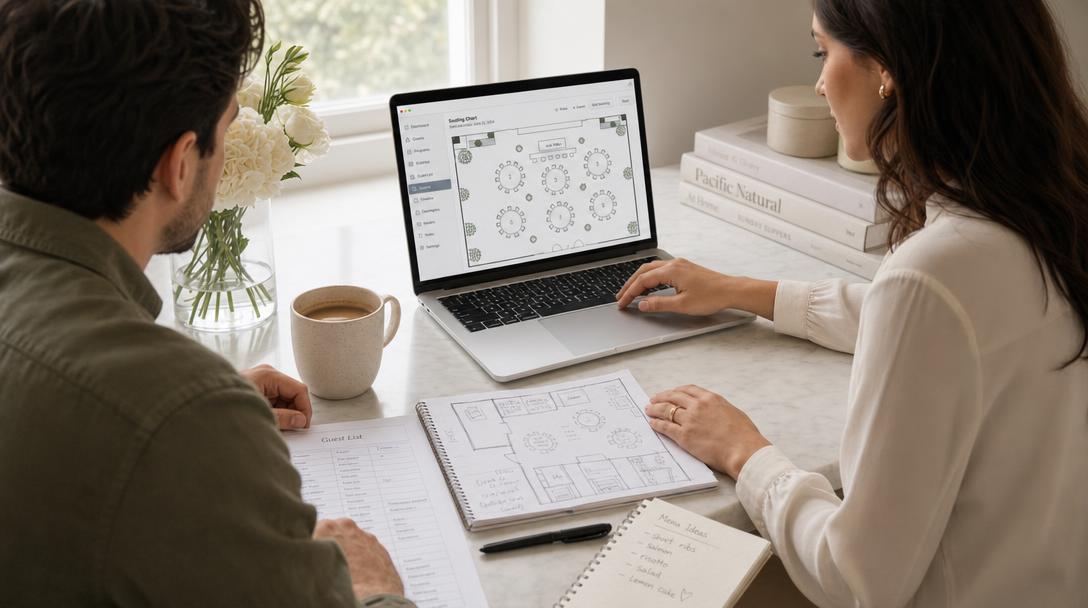
When to Make Your Wedding Seating Chart
Start 2-3 weeks before the wedding, right after your RSVP deadline.
Earlier than that and you will redo it every time a response changes. Later and you will be assigning seats during your rehearsal week. The practical timeline:
- RSVP deadline: 3-4 weeks before the wedding
- First full draft of the chart: within a few days of the deadline
- Final version to the venue and caterer: 1-2 weeks out
- Print day-of materials (escort cards or a display board): the final week
One thing that makes this dramatically easier: collecting RSVPs digitally so the final guest list is a live document, not a pile of mail. If you have not sorted RSVPs yet, see our guide to digital invitations with RSVP tracking.
Step 1: Lock Your Final Headcount
Do not start placing anyone until the RSVP deadline passes. Chase the stragglers first (a personal text works better than a group reminder), make the hard calls on the "maybes", and confirm plus-one names. Your seating chart is only as stable as the guest list underneath it.
Export or write out the final list with one name per line, including plus-ones and children. You will paste this list directly into the chart tool in Step 4.
Step 2: Get the Floor Plan and Table Sizes from Your Venue
Before deciding who sits together, you need to know what "together" physically means. Ask your venue for:
- The floor plan with fixed features marked: dance floor, bar, DJ booth, entrances, restrooms
- Table shapes and capacities they can provide (rounds of 8-10 are the most common; long banquet tables typically seat 6-12 per side)
- The maximum table count that fits the room with a dance floor
A few placement rules that save headaches later:
- Seat grandparents and older guests away from the speakers, not next to the dance floor
- The couple's table should be visible from most seats
- Leave the tables nearest the bar for your most social groups; they will end up there anyway
Wedding Seating Chart Templates by Guest Count
Most seating charts fail at the arithmetic before they fail at the diplomacy. Use these templates as your starting layout, then adjust for the tables your venue actually owns (Step 2). Every count below leaves the couple out; add a sweetheart table for two or fold yourselves into a head table.
| Guests | Round tables of 10 | Round tables of 8 | Long tables (6 per side, 12 total) |
|---|---|---|---|
| 50 | 5 | 6 (two seats spare) | 4 plus one table of 2 |
| 80 | 8 | 10 | 7 (four seats spare) |
| 100 | 10 | 13 (four seats spare) | 8 plus one table of 4 |
| 120 | 12 | 15 | 10 |
| 150 | 15 | 19 (two seats spare) | 13 (six seats spare) |
| 200 | 20 | 25 | 17 (four seats spare) |
Three layouts cover almost every reception:
- Classic rounds around the dance floor. Tables of 8 or 10 in a horseshoe with the dance floor in the middle and the head or sweetheart table on the open side. The easiest to seat because every table is the same size.
- Long banquet tables. Two or three long runs of 20 to 40 seats, family style. Beautiful, but seat with care: guests can only talk to the four or five people nearest them, so keep groups in contiguous blocks.
- Mixed. One long head table for the wedding party and parents, rounds for everyone else. Use this when the wedding party is large or when parents have divorced and need separate, equal tables.
To turn a template into your actual chart, open the free seating chart maker, add the number of tables from the row that matches your headcount, set the seats per table, and paste your guest list. The tool prints a table-by-table list you can hand to the venue, so you get a printable seating chart template without formatting a spreadsheet.
Step 3: Group Guests Before You Assign Tables
The fastest way to a good chart is grouping first, seating second. On paper or in the tool, cluster your list into natural groups of 4-10: college friends, work friends, the cousins, parents' friends, and so on.
Guidelines that consistently produce better tables:
- Seat people with their people. A table of guests who already know each other beats a carefully engineered "mix" almost every time.
- No table of strangers. If you must combine groups, combine two half-groups rather than eight individuals.
- Every guest should know at least two other people at their table, ideally including someone beyond their own date.
- Couples always sit together. Splitting couples across tables is an outdated formality that guests dislike.
- A kids' table works from about age 6-12. Younger children sit with their parents; teenagers usually prefer sitting with family over a designated kids' table.
If singles mingling is a goal, a "singles table" is the wrong tool: it is obvious and often unwelcome. A better modern option is an icebreaker game your whole guest list can opt into. That is exactly what Match & Connect for weddings does, and our roundup of modern wedding reception games has lower-tech alternatives too.
Step 4: Build the Chart with a Free Online Tool
Sticky notes and spreadsheets fail at the same point: every change means redrawing. A purpose-built tool makes changes free.
With the free wedding seating chart maker the loop looks like this:
- Paste your full guest list, one name per line (the list from Step 1)
- Add your tables and set how many seats each one has (the shapes and counts from Step 2)
- Tap a guest, then tap a table to seat them; tap a seated guest to move them
- The floor plan view shows every table at a glance, with live counts of seated and unassigned guests
The chart auto-saves in your browser, so you can close the tab mid-argument about where Uncle Rob goes and pick it up later. It is completely free, with no signup.
Step 5: Handle the Tricky Situations Deliberately
Every wedding has a few. The standard playbook:
- Divorced parents: give each parent their own table with their own family and friends, at equal distance and prominence from the couple's table. Equal is the key word; guests notice geometry.
- Guests with a history: different tables, ideally without direct sightlines. You do not owe anyone an explanation.
- The head table decision: a sweetheart table (just the two of you) is the flexible default; a full wedding-party head table is traditional but forces your wedding party away from their dates unless you seat partners with them.
- Solo guests: seat them with the group they overlap most, never at a leftovers table.
- Elderly relatives: quieter corner, easy access, away from speakers.
Step 6: Decide Between Assigned Tables and Assigned Seats
You have three levels of formality:
| Approach | What it means | Best for |
|---|---|---|
| Open seating | No chart at all | Cocktail-style receptions under ~50 guests |
| Assigned tables | Guests pick their own chair at their table | Most weddings; all the benefit, half the work |
| Assigned seats | Every chair is named | Formal plated dinners with meal choices |
Assigned tables is the sweet spot for most receptions. Go to assigned seats only if your caterer serves plated meal choices to specific chairs.
Step 7: Print, Share, and Prepare for Day-Of Changes
When the chart is done:
- Print it for the venue coordinator and caterer (the seating chart maker prints in one tap, or copies the whole plan as text)
- Make the guest-facing version: a display board sorted alphabetically by guest name (not by table number) so people find themselves fast
- Expect 2-5 late changes. A couple cancels, someone brings an unannounced plus-one. Build one flex seat into two or three tables and no change becomes a crisis.
Connect Seating to RSVPs, Meals, and Check-In
A standalone chart is a snapshot; the guest list underneath it keeps moving. The step up from a static chart is a platform where RSVPs, meal preferences, plus-ones, and seating live in one place, so when a guest responds or cancels, the chart is already current.
That is how Fotify treats seating: responses flow straight into drag-and-drop table management, and the same guest list powers QR check-in at the door and the live photo gallery. If you want to see the venue-map side of that in action, we walk through it in building a visual venue map. And since the same QR code your guests use to check in can also collect their photos, the seating work doubles as setup for wedding photo sharing.
Wedding Seating Chart FAQ
How far in advance should I make my wedding seating chart?
Start right after your RSVP deadline, about 2-3 weeks before the wedding. A first draft takes one evening once the guest list is final; leave the following week for the inevitable adjustments and get the final version to your venue 1-2 weeks out.
Is there a free tool to make a wedding seating chart?
Yes. Fotify's wedding seating chart maker is free with no signup: paste your guest list, add tables with any number of seats, assign guests with a tap, and print or copy the finished chart. It auto-saves in your browser between sessions.
Should we do assigned seats or just assigned tables?
Assigned tables, unless your caterer is serving plated meal choices to specific chairs. Guests get the comfort of a guaranteed spot with people they know, and you skip per-chair micromanagement.
How many guests should sit at each table?
Round tables comfortably seat 8-10; long banquet tables seat 6-12 per side. Under-filling slightly (8 at a table for 10) feels generous; overfilling always feels cramped. Keep groups intact even if table sizes end up uneven.
Where should the couple sit?
Either a sweetheart table for two or a head table with your wedding party, placed so most guests can see you and near the dance floor. Sweetheart tables have become the default because they are flexible and give you a moment of privacy during dinner.
Do we need a seating chart for a small wedding?
Under about 50 guests with a buffet or cocktail-style meal, open seating works fine. Above that, or with any plated service, a chart prevents the awkward scramble and guarantees no guest ends up seatless among strangers.
Related Pages
Discover how Fotify can transform your events